serafex

Platform · Space 05 of 20

Documents : your files, your spaces and your forms

Available

Documents brings your files together in two spaces, Personal and Company, on your Google Drive or your OneDrive. You create documents, spreadsheets, presentations, notes and forms there, and you decide who sees what, person by person.

  • Personal
  • Company
  • Shared with me
  • Forms
  • Versions
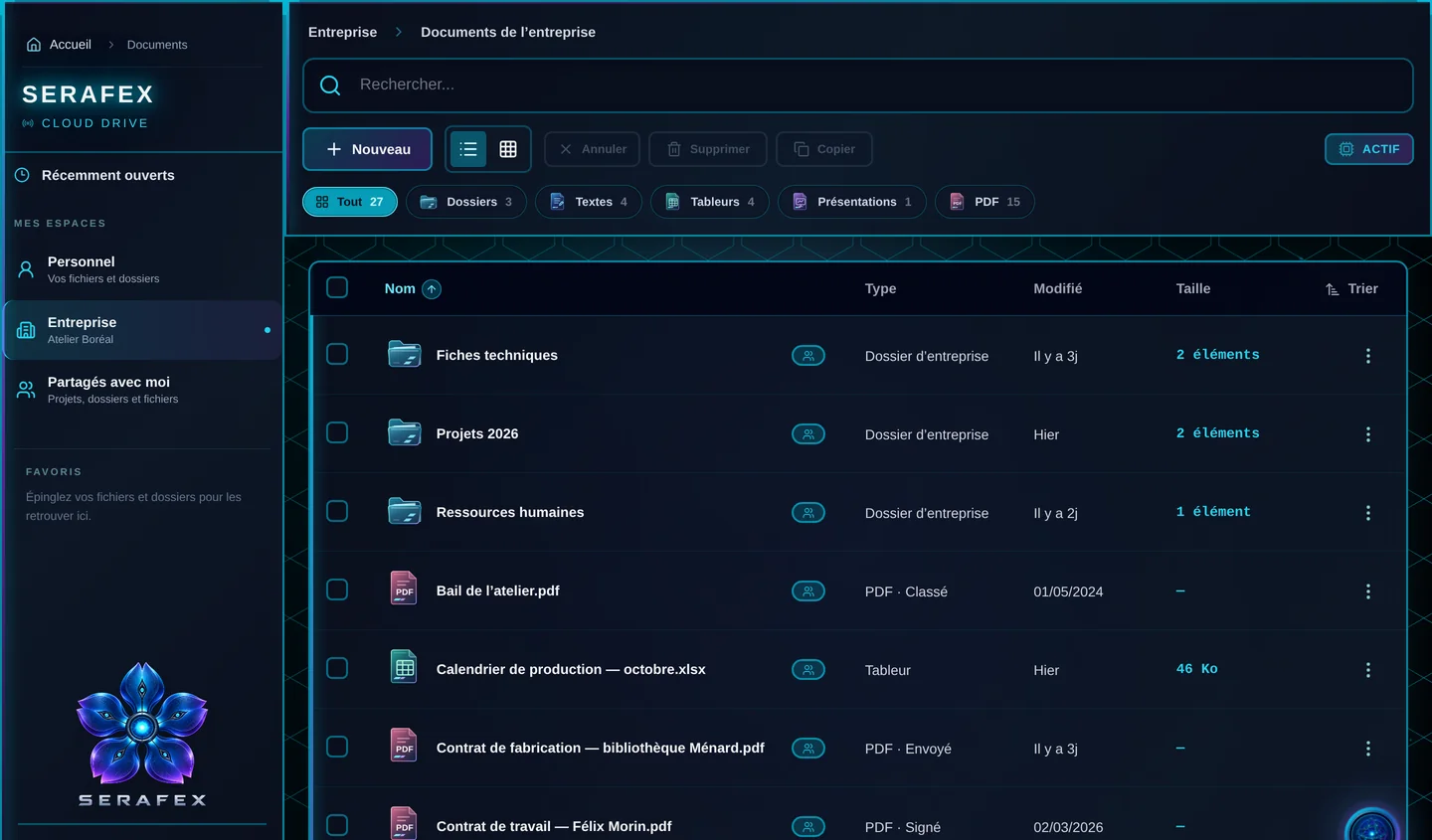
Demo screenshot, labels in French: Documents, Company space: the Technical sheets, Projects 2026 and Human resources folders, a spreadsheet and PDF contracts filed, sent or signed.
Demo · sample data · labels in French

01 · In the app

What’s worth seeing in Documents

Demo screenshot, labels in French: The company’s document list, filtered by type: 27 items, 3 folders, 4 documents, 4 spreadsheets, 1 presentation and 15 PDFs, with each contract’s status.

Find everything, by type and status

Filter with one click: everything, folders, documents, spreadsheets, presentations or PDFs. Each file shows its type, status and date: a contract that is filed, sent or signed is recognizable at once. Pin what matters, colour your folders, and the preview opens a PDF or a spreadsheet without downloading it.

  • Filters by file type
  • Statuses: filed, sent, signed
  • Pins and folder colours
  • Preview without downloading
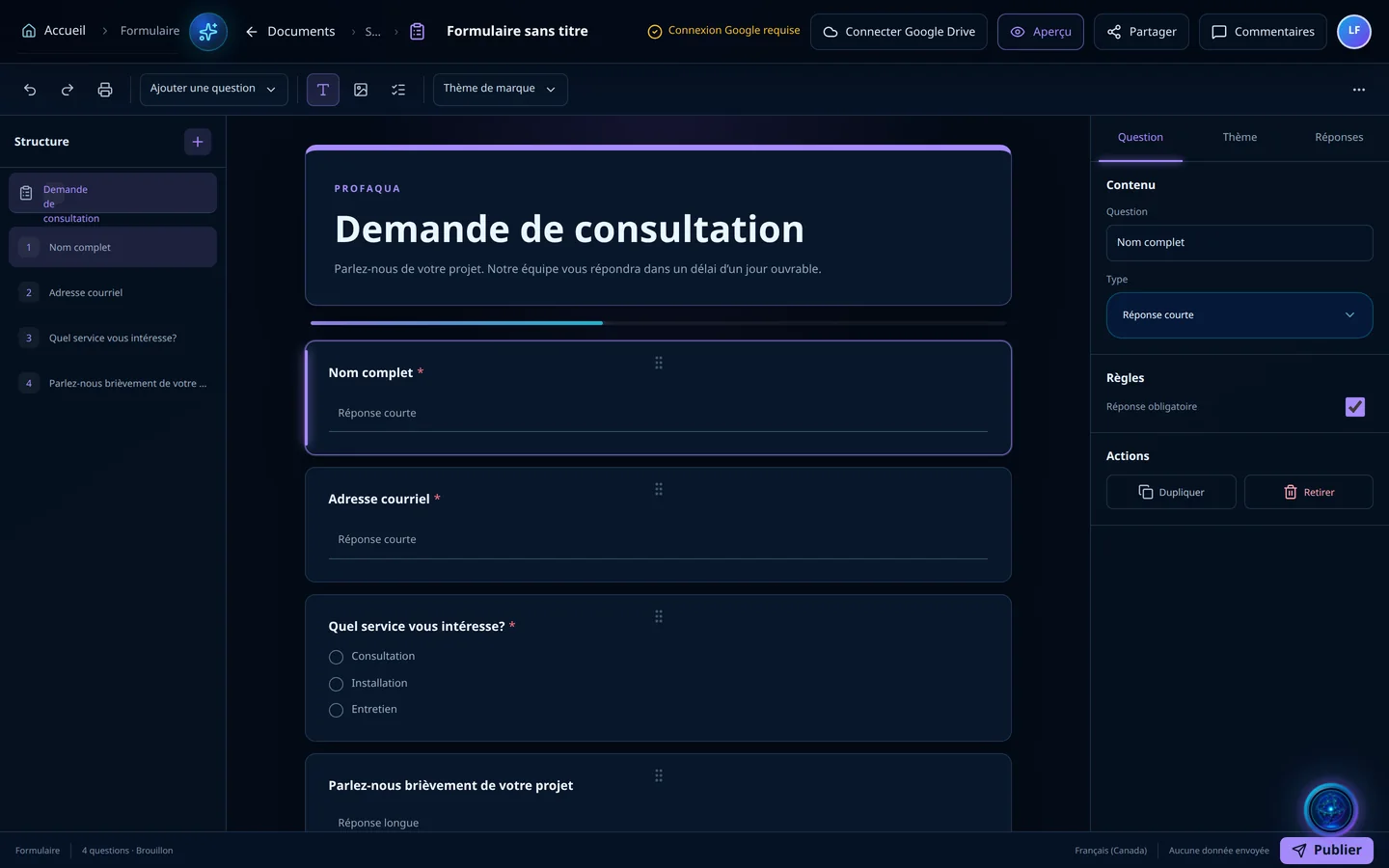
Demo screenshot, labels in French: The form editor: the structure on the left and the questions Full name, Email address, Which service interests you and Tell us briefly about your project.

A form in a few minutes

A form is built question by question: short or long answer, phone, checkboxes, dropdown, linear scale. Any question can be required, the theme follows your brand, and each answer arrives in the form, with its summary.

  • Short or long answer, phone
  • Checkboxes, dropdown, scale
  • Brand theme
  • Answers and summary

Who sees what

When creating a file, you choose the folder and the access: owners only, your team, the Finance team or the whole team. Sharing also works person by person, by email, even without a Serafex account, with the right to view or to edit.

  • Personal or Company
  • Access by team
  • Sharing by email, even without an account
  • View or edit

Write, calculate, present

Word, Excel and PowerPoint files open in the Serafex editor. A presentation applies your brand theme and keeps your speaker notes; a spreadsheet exports its PDF following its print areas. Every version stays in the history, and a restore first creates a checkpoint.

  • Documents, spreadsheets, presentations
  • Brand theme, speaker notes
  • Version history
  • Comments

02 · Section by section

Everything inside Documents

Spaces

  • Personal
  • Company
  • Shared with me
  • Recently opened
  • Pinned favourites

Create

  • Note
  • Document
  • Spreadsheet
  • Presentation
  • Form

Share

  • Access by team
  • Per person, by email
  • View or edit
  • Sharing details

Work

  • PDF and spreadsheet preview
  • Versions and restore
  • Comments
  • Export a copy

03 · Seraf in this space

Seraf prepares, you confirm

Seraf finds and shows your files in the conversation, according to your account’s access: it does not see another person’s private documents. In Company, each file keeps its documents, versions and decisions.

04 · Your account

Access and connections

Documents is part of the base plan, with Google Drive or OneDrive storage, your choice. Your files stay on your drive, and an exported copy or PDF never replaces the original file.

Included in the Executive planSee the plan →

06 · Next step

Your files, organised for the team

Tell us where your files live and who needs access. An advisor shows you Documents on your Google Drive or OneDrive, with sharing person by person.

Opens the “Prepare a discovery call” form · no commitment