serafex

Platform · Space 09 of 20

Finances : invoices, contracts and company files

Available

The Finances button opens the Company space: your invoices, bookkeeping, contracts, tax and payroll, legal and privacy, with an overview of what awaits your decision. Each file keeps its documents, versions and decisions.

  • Overview
  • Invoices
  • Bookkeeping
  • Contracts
  • Tax and payroll
  • Legal
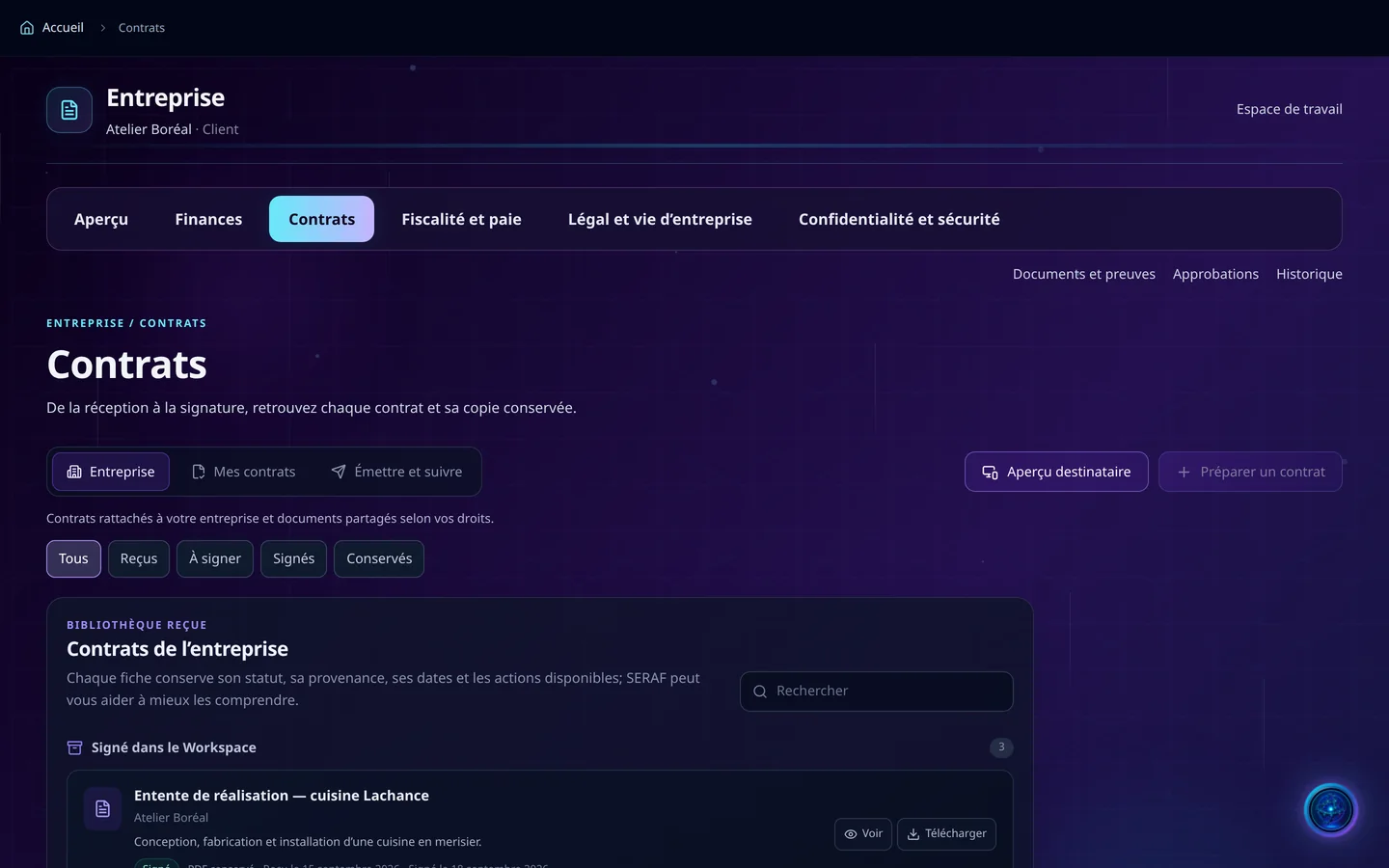
Demo screenshot, labels in French: Company, Contracts tab: the All, Received, To sign, Signed and Kept filters, and the Lachance kitchen work agreement, signed in the Workspace.
Demo · sample data · labels in French

01 · In the app

What’s worth seeing in Finances

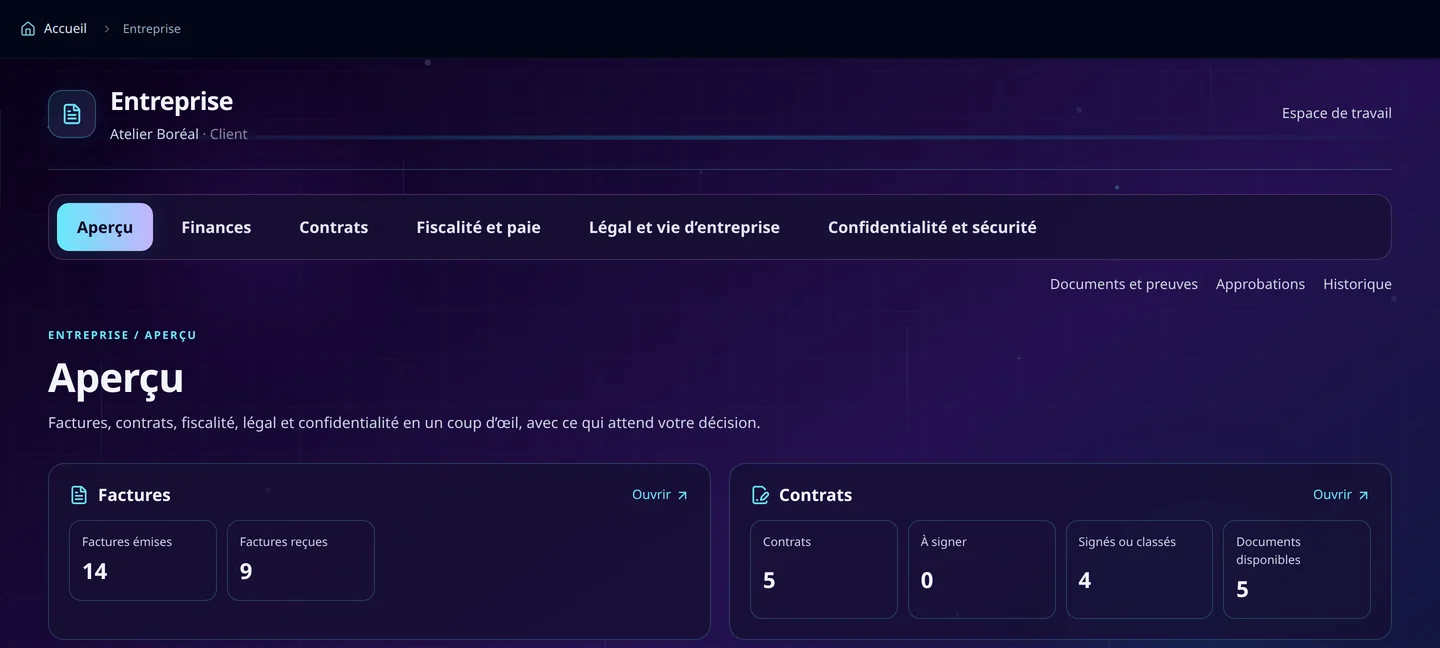
Demo screenshot, labels in French: The Company space overview: the Overview, Finances, Contracts, Tax and payroll, Legal tabs, and the counters of issued and received invoices and contracts.

What awaits your decision

The overview counts what needs your attention: issued and received invoices, to pay, payments to confirm, contracts to sign, signed or filed, decisions to make and results ready. The screenshots on this site show counters, never amounts.

  • Issued and received invoices
  • Payments to confirm
  • Contracts to sign
  • Decisions and results ready
Demo screenshot, labels in French: The company’s contracts: Company, My contracts, Issue and track, the status filters and the library of contracts signed in the Workspace.

A contract, from drafting to signature

Choose a Serafex template or your own, imported as DOCX, fill in its fields, then check the exact copy, in A4 format, as the recipient will see it. The signer signs through a secure link, and an already signed contract is added as a PDF to be kept.

  • Serafex or imported templates
  • Exact preview before sending
  • Signature by secure link
  • To sign, signed, kept

Bookkeeping, document by document

The annual ledger brings together revenue, expenses and payments: GST and QST to remit, profit before tax, amounts receivable. A received document is filed in the right month once its amounts are entered, and each payment is dated the day the money arrived.

  • Annual ledger
  • GST and QST to remit
  • Documents to complete
  • Interac transfers to confirm

One file, all its documents

Tax and payroll, legal and corporate life: each file states the need and the period, gathers its documents in Documents, tracks the work and keeps every version with its review. The decision belongs to the people allowed to approve.

  • Expected documents
  • Versions kept
  • Approvals
  • History

02 · Section by section

Everything inside Finances

Finance

  • Issued and received invoices
  • Payments to confirm
  • Bookkeeping, annual ledger
  • Tax and payroll

Legal

  • Contracts
  • Legal and corporate life
  • Privacy and security

Tracking

  • Documents and evidence
  • Approvals
  • History
  • Deadlines in the Calendar

03 · Seraf in this space

Seraf prepares, you confirm

Seraf can make a contract clearer and better structured, and spot inconsistencies; it does not replace legal advice, and an imported template stays marked “not legally reviewed”. Long work moves forward in the background, and a send, a payment or a signature always keeps its own confirmation.

04 · Your account

Access and connections

Finances is part of the base plan. The account owner grants rights, file by file: viewing, preparing, editing and deciding are separate rights.

Included in the Executive planSee the plan →

06 · Next step

Your company files, finally together

Invoices, contracts, tax, payroll: tell us what is lagging. An advisor shows you the Company space and what awaits your decision there.

Opens the “Prepare a discovery call” form · no commitment