serafex

Platform · Space 10 of 20

Loyalty : your client newsletters, prepared by Seraf

Available

Loyalty keeps you connected with your clients. Seraf prepares a newsletter before each of your highlights; you choose among three visuals, you approve the exact version, and nothing is scheduled before you agree.

  • Management
  • Audience
  • Highlights
  • Approval
  • Tracking
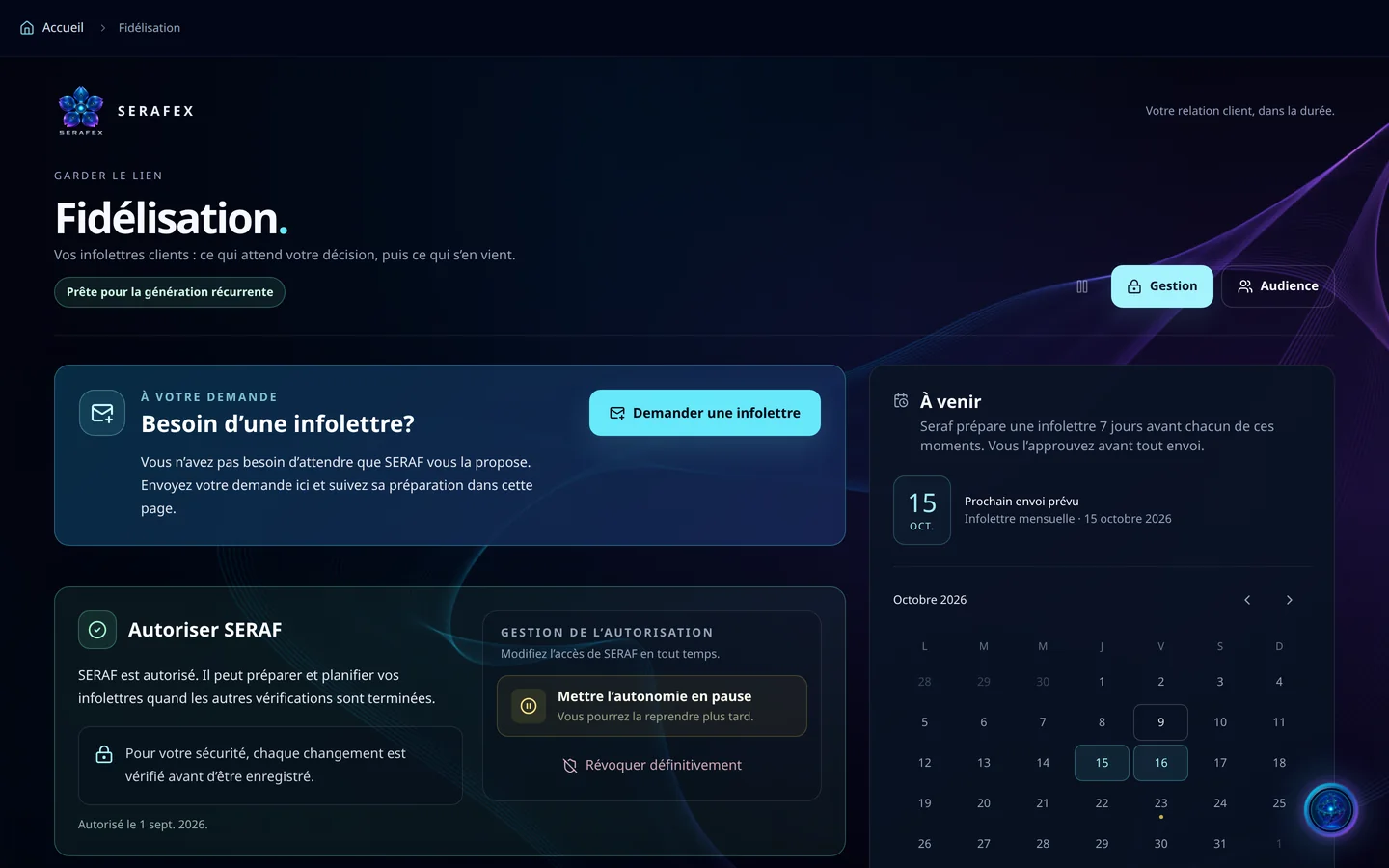
Demo screenshot, labels in French: Loyalty, Management tab: the newsletter request, SERAF’s permission, and Coming up, with the next send planned for October 15.
Demo · sample data · labels in French

01 · In the app

What’s worth seeing in Loyalty

Demo screenshot, labels in French: Coming up: Seraf prepares a newsletter 7 days before each highlight; next planned send, the monthly newsletter of October 15, 2026.

Your highlights

You mark the moments that matter: a date, a period, and your clients’ busiest period of the year. Seraf prepares a newsletter 7 days before each one, and the calendar shows the next planned send.

  • A date or a period
  • The busiest period of the year
  • Prepared 7 days ahead

Three visuals, your decision

Each newsletter comes with three proposed visuals: you pick one, and that is the one that goes out. You review the design, the message, the audience and the date, then approve that exact version, or request changes with a note saying what to fix.

  • Three proposed visuals
  • The exact version approved
  • Changes requested, with your note
Demo screenshot, labels in French: Allow SERAF: it can prepare and schedule your newsletters once the other checks are done; buttons to pause its autonomy and to revoke it for good.

Seraf’s autonomy, under your control

Allowing SERAF lets it prepare and schedule your newsletters once the other checks are done. You pause its autonomy to resume later, or revoke it; each change is checked before it is saved.

  • Allow
  • Pause
  • Revoke

Your audience

Import your list as CSV, add labels, and collect sign-ups from your site with a “news and offers” box, never pre-checked. An unsubscribe is permanent: no future import resubscribes the address.

  • CSV import and labels
  • Sign-ups from your site
  • Permanent unsubscribe

What goes out, what comes back

Tracking puts on one timeline the newsletters already sent, upcoming and in preparation: delivered, failed, replies and unsubscribes. For a reply received, Seraf suggests an answer; you validate it and send it from your inbox.

  • A timeline of sends
  • Delivered, failed, unsubscribed
  • Suggested reply, sent by you

02 · Section by section

Everything inside Loyalty

Management

  • Request a newsletter
  • SERAF’s permission
  • Highlights
  • Coming up calendar

Audience

  • CSV import
  • Labels
  • Sign-ups from the site
  • Unsubscribes

Approval

  • Three proposed visuals
  • Exact version approved
  • Changes requested
  • Scheduled time

Tracking

  • Already sent, coming up
  • Delivered and failed
  • Replies to your newsletters

03 · Seraf in this space

Seraf prepares, you confirm

Seraf schedules nothing before your approval, and you don’t have to wait for it to suggest a newsletter: requesting a newsletter starts its preparation, without sending any email.

04 · Your account

Access and connections

Loyalty is part of the base plan. Your newsletters are sent from the inbox connected in Settings › Connections, Google or Microsoft, and only the account owner approves a newsletter or changes Seraf’s permission.

Included in the Executive planSee the plan →

06 · Next step

Stay present with your clients

Tell us the highlights of your year and who you write to. An advisor shows you how Seraf prepares your newsletters, which you approve before anything goes out.

Opens the “Prepare a discovery call” form · no commitment