serafex

Platform · Space 07 of 20

Pipeline : your team’s tasks and projects

Available

The Pipeline organizes the team’s work: tasks in lists, with their due date, checklist and files, and projects broken into stages, followed in columns or on a timeline.

  • Tasks
  • Projects
  • Teams
  • Timeline
  • Templates
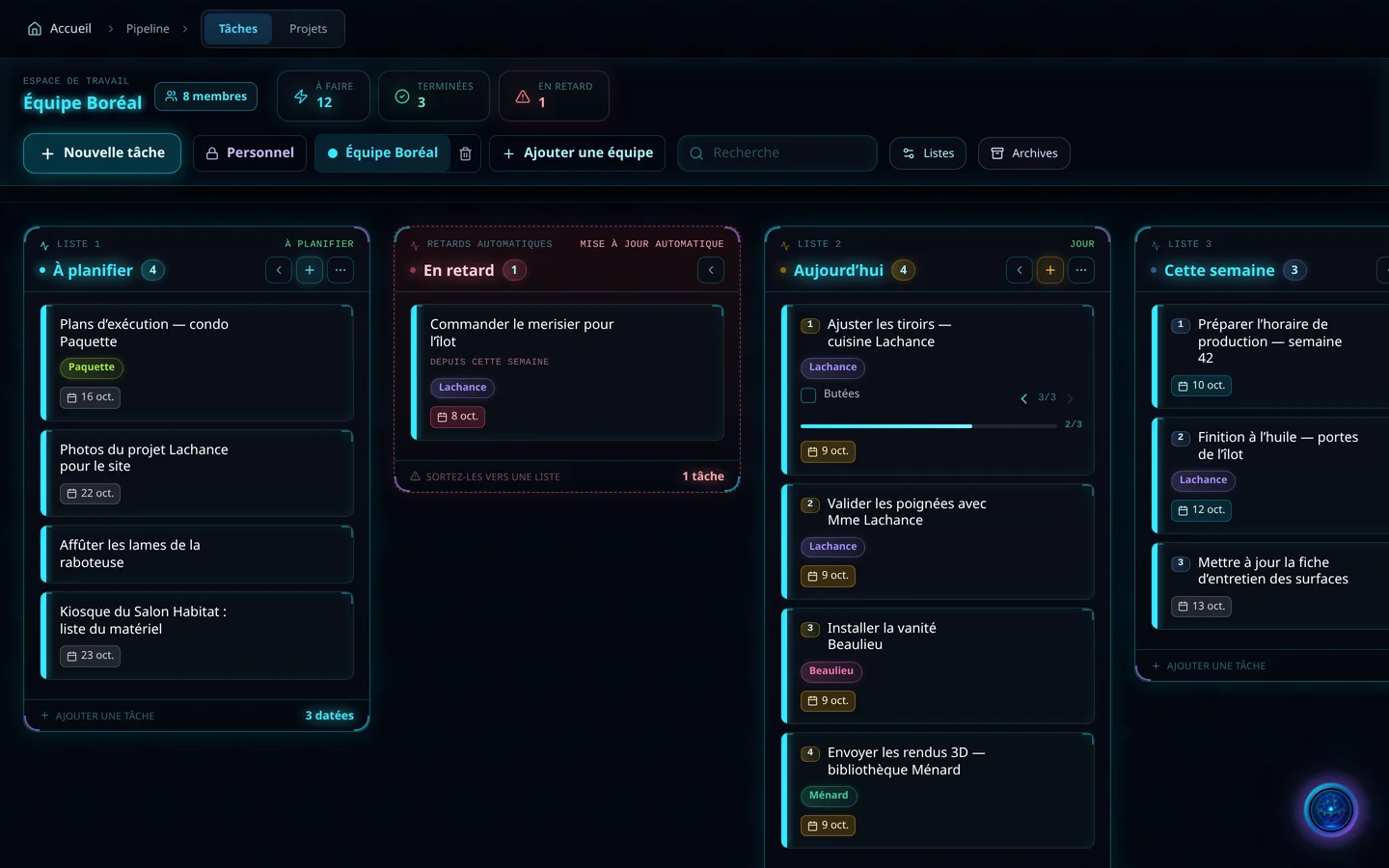
Demo screenshot, labels in French: The Boréal team’s Pipeline: 8 members, 12 tasks to do, 3 done, 1 overdue, and the To schedule, Overdue, Today and This week lists.
Demo · sample data · labels in French

01 · In the app

What’s worth seeing in Pipeline

Demo screenshot, labels in French: The Overdue list, updated automatically, with “Order the cherry wood for the island”, and the Today list with a checklist at 2 of 3.

Delays flag themselves

The Overdue list updates automatically: a task past its due date lands there on its own, then you move it back to a list. In Today, a checklist shows where each task stands, at a glance.

  • Automatic Overdue list
  • Checklists
  • Labels per client
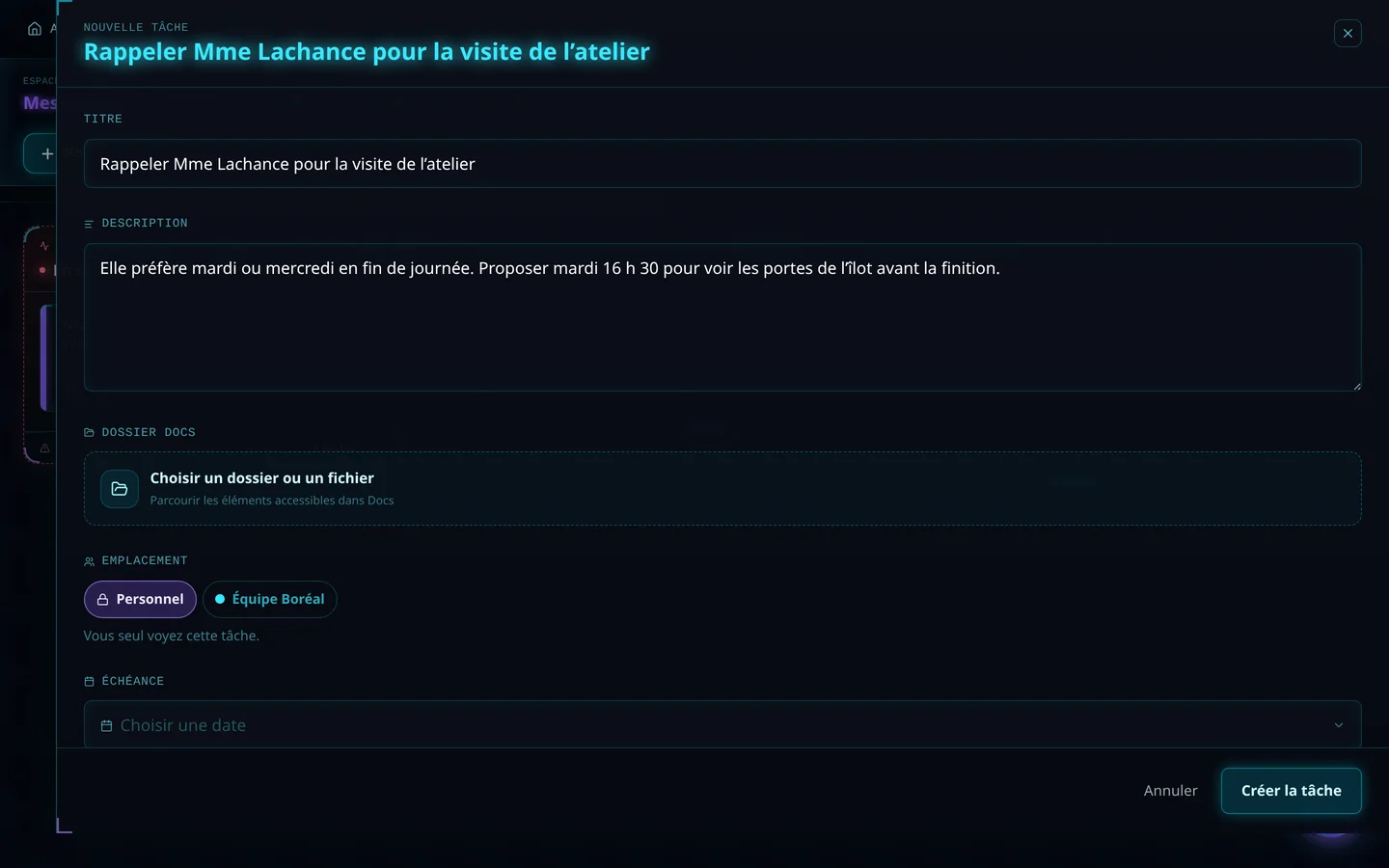
Demo screenshot, labels in French: The New task form “Call Mrs. Lachance back about the workshop visit”: description, Documents folder, Personal or Boréal team location, due date.

A well-described task

A title, a description, a folder or file from Documents, and a location: Personal, which only you see, or the team. The due date puts a reminder in the Calendar, and completing the task marks the end of the work.

  • Documents folder or file
  • Personal or team
  • Due date and Calendar reminder
  • Comments and review requests

Projects in stages

A project is work broken into stages, tasks each given to one person with a date, and two ways to follow it: in columns by status, or on a timeline. Start from a template, with its stages ready, or ask Seraf to create your first project from a single sentence.

  • Project templates
  • Columns or timeline
  • Departments and project team
  • Dated project log

Your way of working

Add your own lists and columns, choose the done column, add your own fields and rules, and keep a team private when needed. Removing a team deletes no task: they stay in their author’s Personal space.

  • Your own lists and columns
  • Custom fields
  • Private teams
  • Archives

02 · Section by section

Everything inside Pipeline

Tasks

  • To schedule, Overdue, Today, This week
  • Due date and reminder
  • Checklist
  • Labels
  • Archives

Projects

  • Stages
  • Project templates
  • Columns or timeline
  • Dated project log

Teams

  • Personal
  • Teams and private teams
  • Departments
  • Members

Links

  • Documents folders and files
  • Calendar reminders
  • Comments and reviews

03 · Seraf in this space

Seraf prepares, you confirm

Seraf can create your first project with you, from a single sentence, and walk you through the page area by area. Stages and dates are managed in the Pipeline; reminders appear in the Calendar.

04 · Your account

Access and connections

The Pipeline is part of the base plan. Personal cards stay private, and each team’s rights are set in the Pipeline.

Included in the Executive planSee the plan →

06 · Next step

Projects you can see moving

Tell us how your tasks and projects are tracked today. An advisor shows you the Pipeline with your stages, your deadlines and delays that flag themselves.

Opens the “Prepare a discovery call” form · no commitment