serafex

Platform · Space 12 of 20

Settings : your account, your company and Seraf, set your way

Available

Settings controls everything around you in Serafex: your account and its security, your company and who can access what, your Google, Microsoft and website connections, Seraf’s voice and memory, and how you receive payments.

  • My account
  • My company
  • Connections
  • Seraf
  • Wallet and subscription
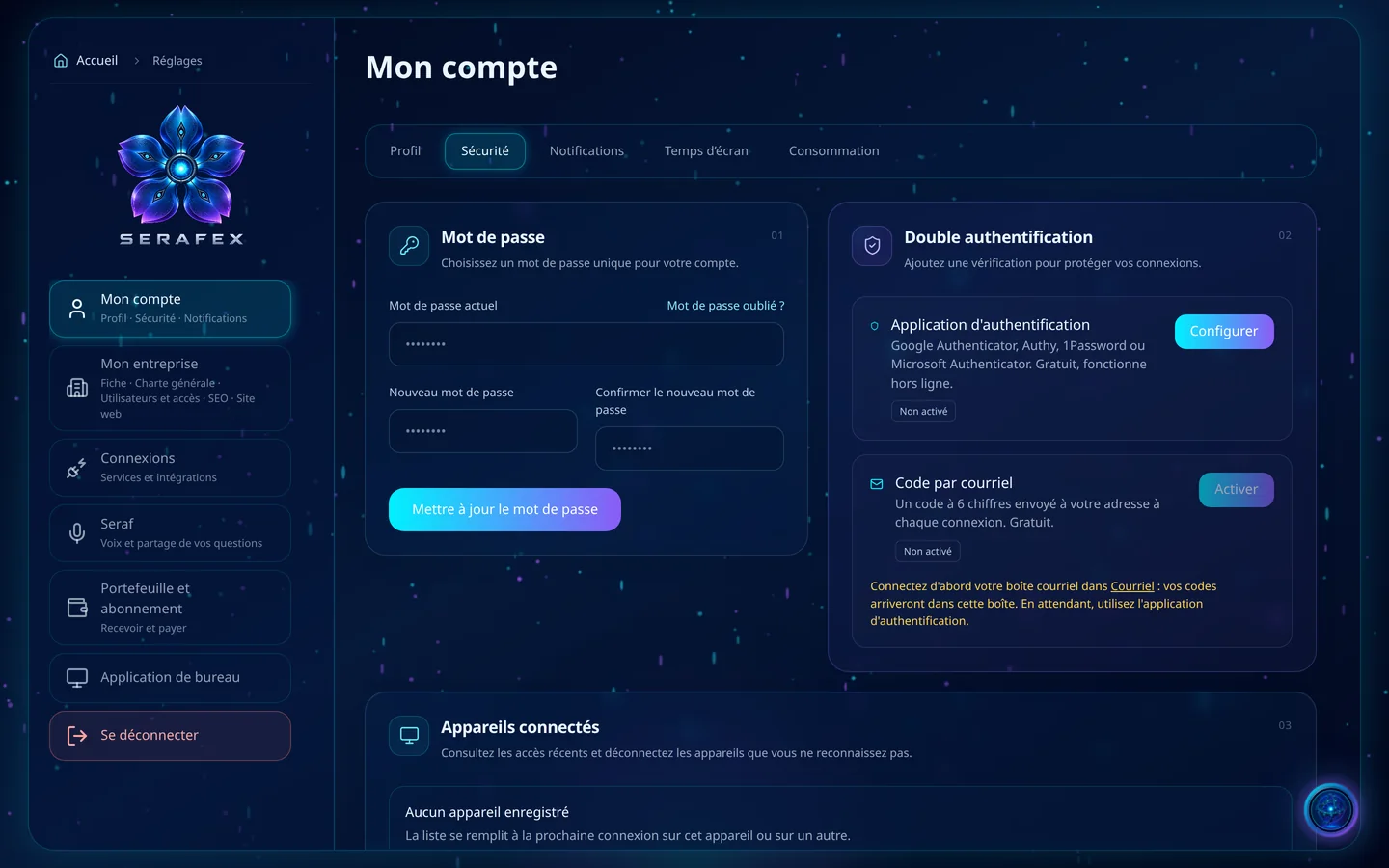
Demo screenshot, labels in French: Settings, My account, Security tab: the password, two-factor authentication by app or by email code, and connected devices.
Demo · sample data · labels in French

01 · In the app

What’s worth seeing in Settings

Demo screenshot, labels in French: Two-factor authentication: an authenticator app such as Google Authenticator, Authy, 1Password or Microsoft Authenticator, or a 6-digit code sent by email.

Your account, well guarded

My account brings together your profile, with your photo and your professional profiles, LinkedIn, Instagram, Facebook, TikTok or X; your security, with two-factor authentication by app or by a 6-digit code sent by email and the list of connected devices; and two surprising dashboards: your screen time and your usage.

  • Two-factor authentication
  • Connected devices, to sign out
  • Screen time: only active time counts
  • Usage and models used
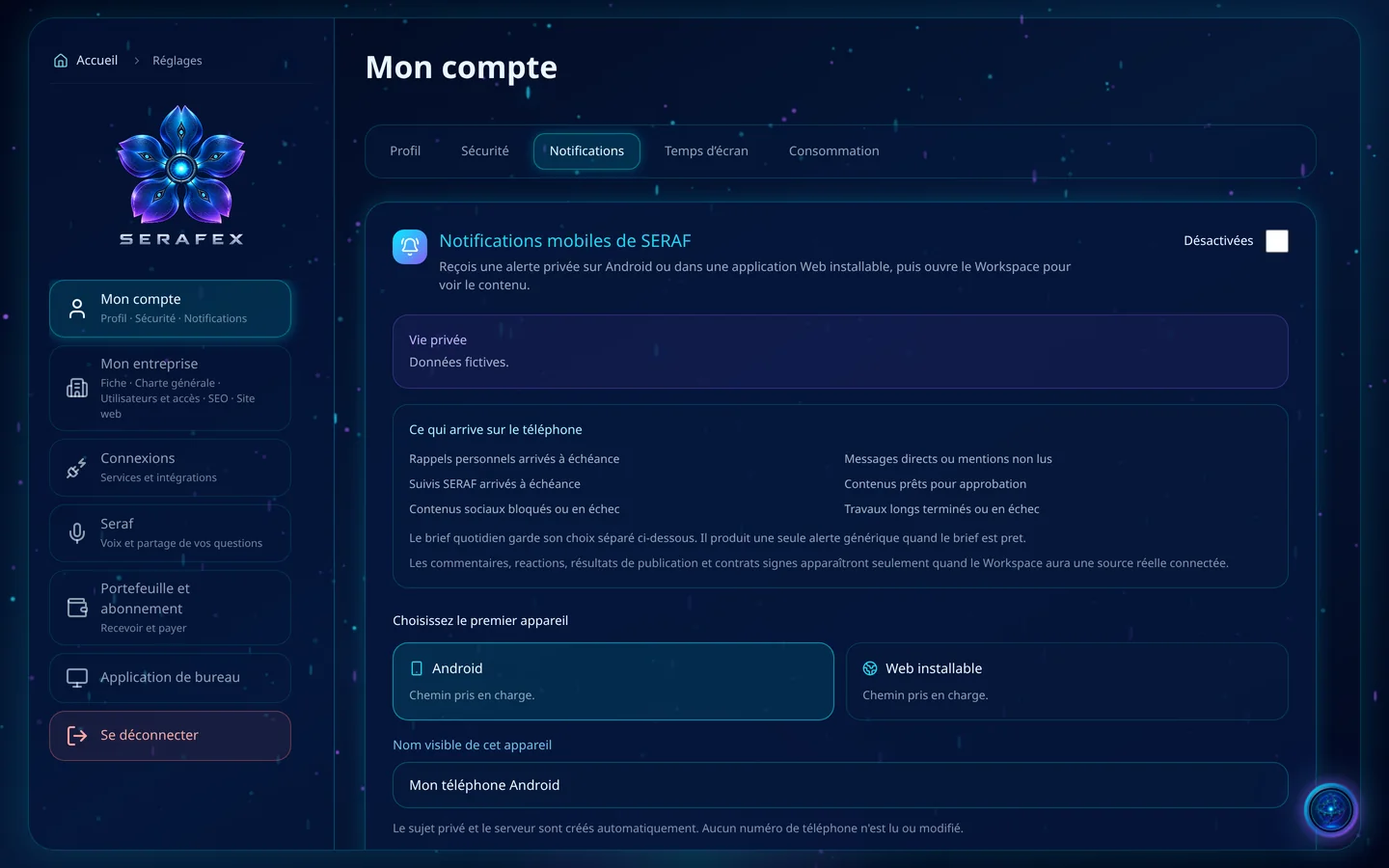
Demo screenshot, labels in French: SERAF mobile notifications: what reaches the phone, such as reminders that are due, direct messages or content ready for approval, then choosing the first device, Android or installable web app.

The right alerts, in the right place

Each page has its alerts, in the app or on your phone, Android or installable web app, up to 5 devices. Only a generic alert and a link are sent: no message, document, amount or client information. Today’s brief has its own alert, when it is ready and unread.

  • Per page: in the app or on the phone
  • Up to 5 devices
  • A generic alert, never the content
  • Today’s brief ready
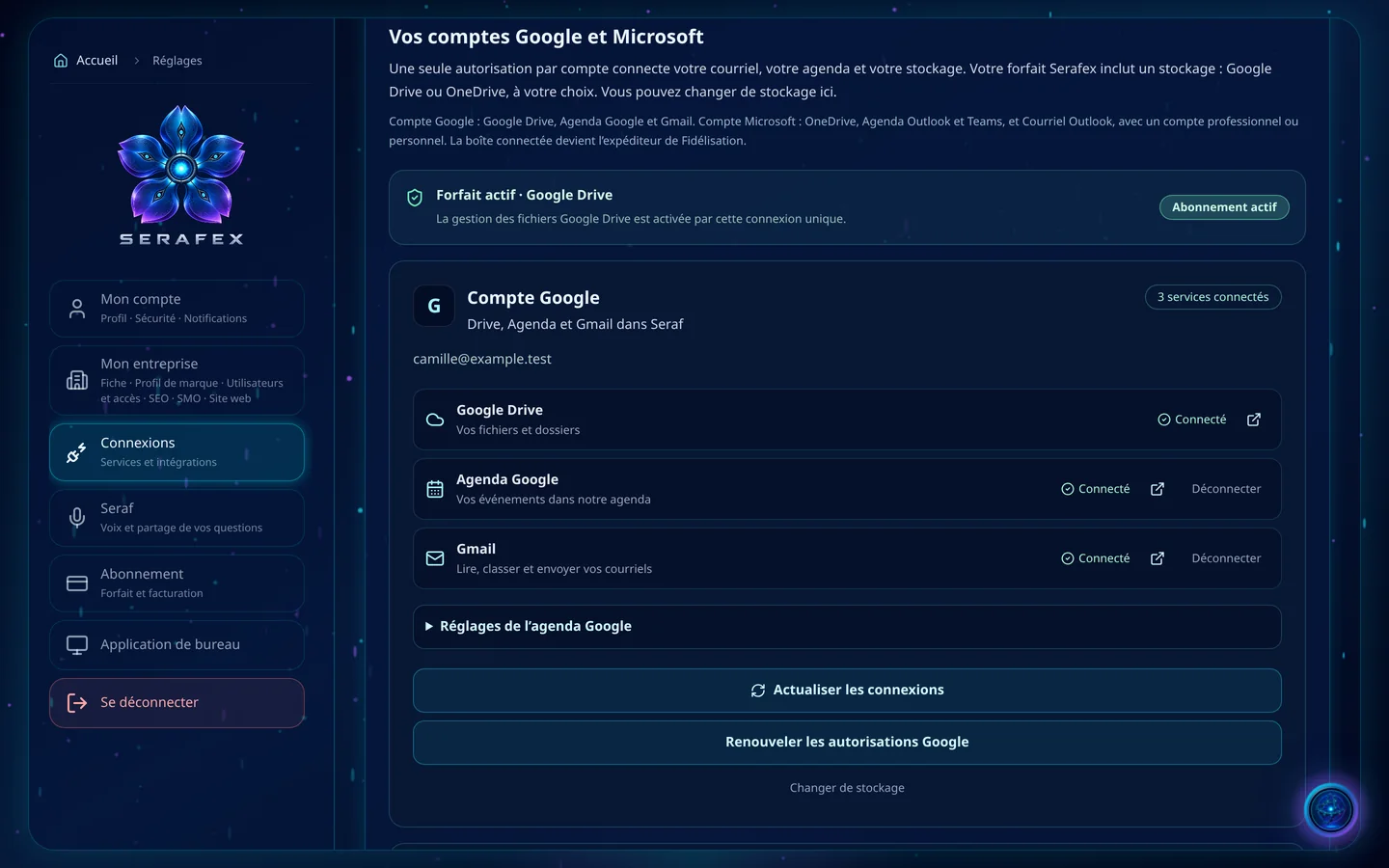
Demo screenshot, labels in French: Your Google and Microsoft accounts: active plan with Google Drive, Google account connected to Google Drive, Google Calendar and Gmail, with buttons to refresh connections and renew permissions.

Your connections, at a glance

A single permission per account connects your email, calendar and storage, Google or Microsoft. On the same page: Search Console and Google Analytics, your Google Business Profile, read access to your Google Ads account, your social networks, your WordPress, Wix or Shopify site, and your own ChatGPT or Claude to talk with Seraf.

  • Google or Microsoft
  • Search Console and Analytics
  • Your site: WordPress, Wix, Shopify
  • Your ChatGPT or your Claude
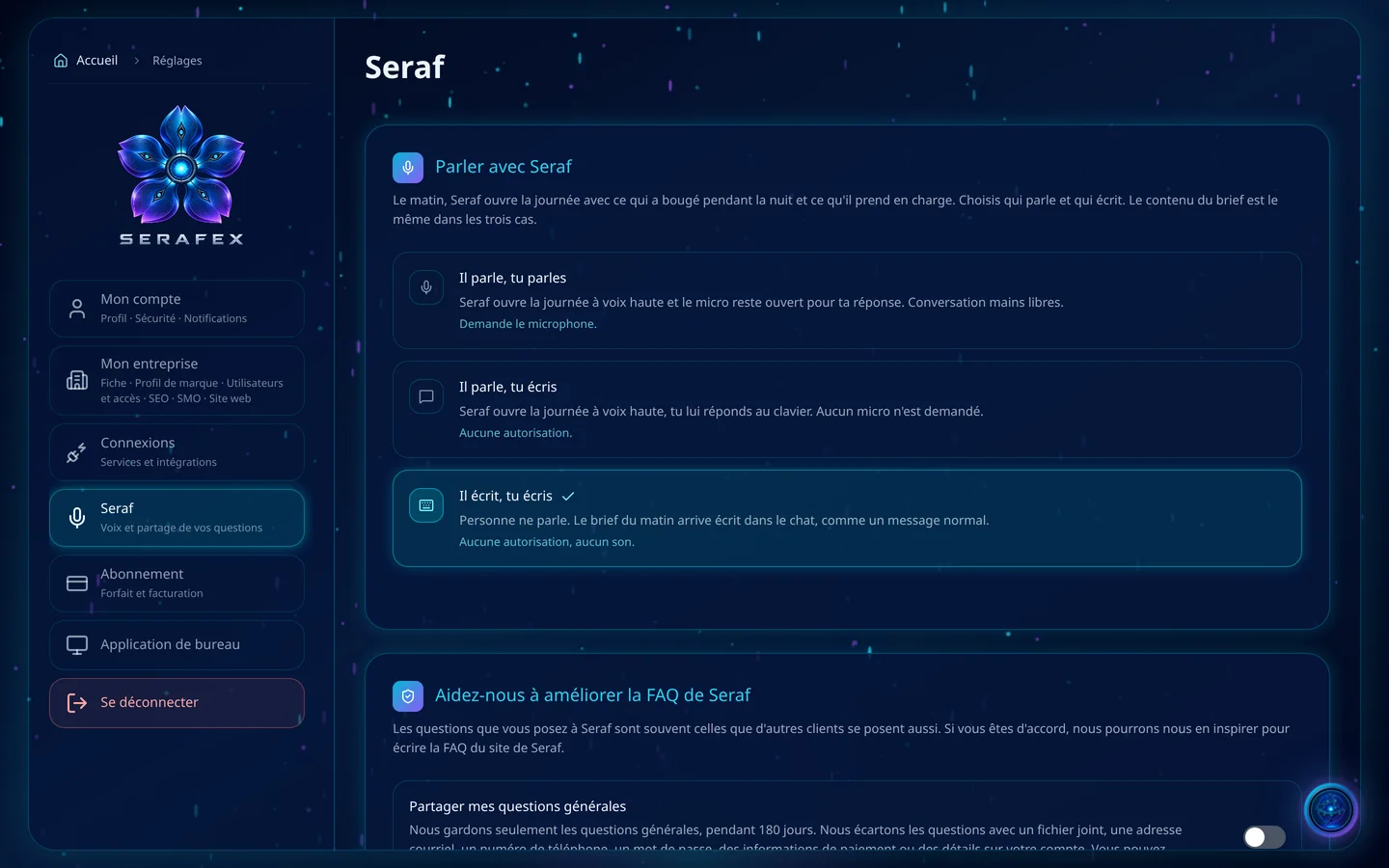
Demo screenshot, labels in French: Settings, Seraf section: “Talk with Seraf”, with the three ways to receive the morning brief.

Seraf, your way

Choose how Seraf talks to you, your brief’s time and days, and its level of detail. Give it memories, instructions and preferences: a memory is information to keep, an instruction a rule to follow, such as asking your approval before sending, and a preference describes what you like.

  • Voice and conversation mode
  • Brief time, days and detail
  • Memories, instructions, preferences
  • Sharing your questions for the FAQ, if you want
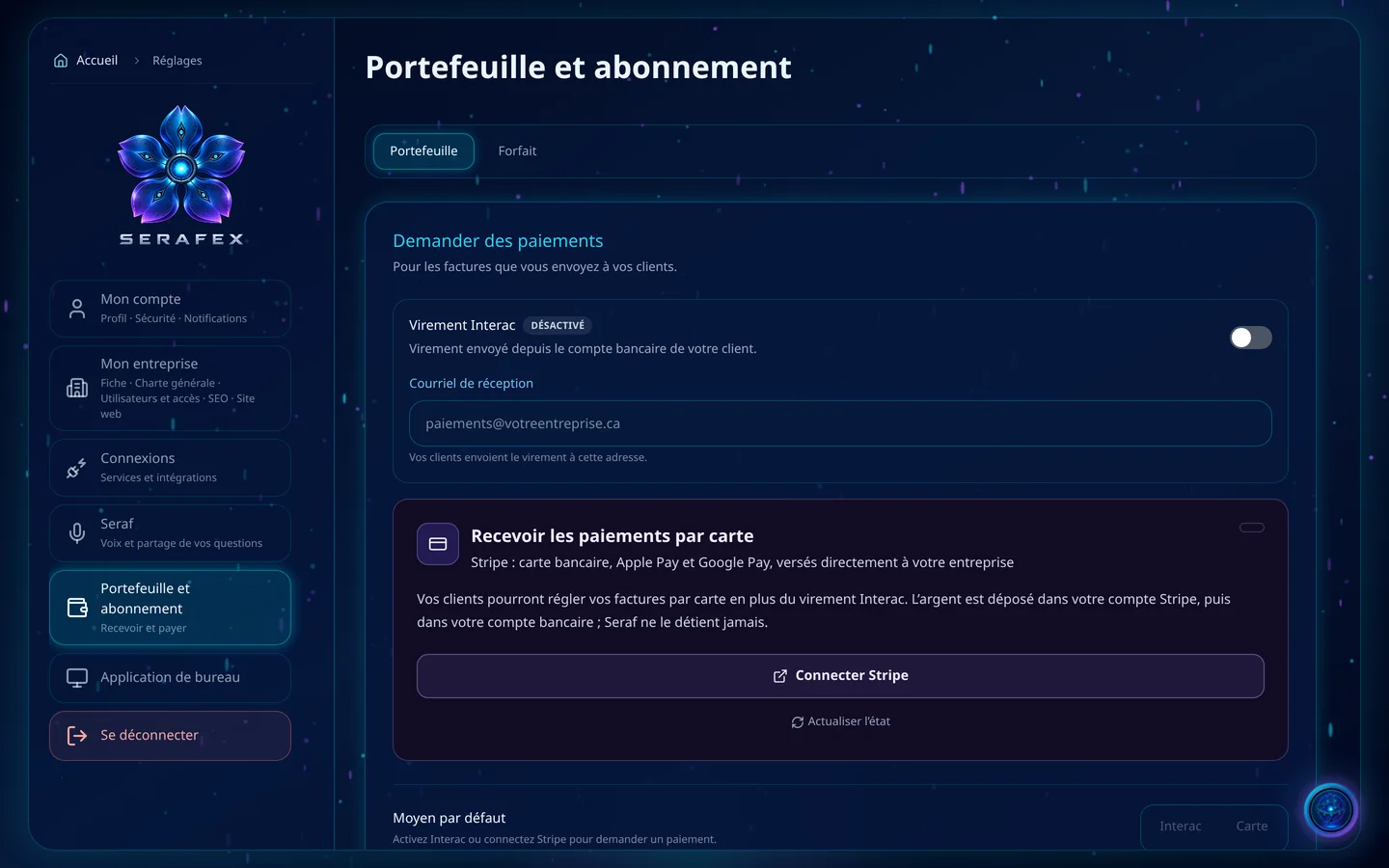
Demo screenshot, labels in French: Wallet and subscription: request payments by Interac transfer, with its receiving email, and receive card payments with Stripe.

Get paid, and pay

For the invoices you send, the Wallet accepts Interac transfers, with the address your clients send them to, and cards through Stripe, Apple Pay and Google Pay included, paid directly to your business. Seraf never holds the money.

  • Interac transfers
  • Cards, Apple Pay, Google Pay with Stripe
  • Default payment method
  • Your Serafex plan

02 · Section by section

Everything inside Settings

My account

  • Profile and online presence
  • Security and two-factor authentication
  • Notifications
  • Screen time
  • Usage

My company

  • Company profile
  • General charter
  • Roles and access
  • Users and access
  • SEO, SMO and Website

Connections

  • Google and Microsoft
  • Search Console and Analytics
  • Google Business Profile and Google Ads
  • Social networks
  • Your site
  • Your AI models

Seraf

  • Voice and conversation
  • Morning brief
  • Memories, instructions, preferences
  • Seraf’s FAQ

Wallet and subscription

  • Wallet: Interac and Stripe
  • Plan

03 · Seraf in this space

Seraf prepares, you confirm

Each person receives a role, Owner, Administrator, Manager or Employee, the services they see and the approvals entrusted to them; Google Workspace and Microsoft 365 rights can be read alongside, person by person. An access change always requires your explicit confirmation, and Settings has its guided tour with Seraf.

04 · Your account

Access and connections

Settings is part of the base plan. For now, only the company’s main account invites new members and manages connections. A plan change request saved in the app does not change the offer and triggers no purchase.

Included in the Executive planSee the plan →

06 · Next step

An account set up for your team

How many people, which roles, which tools: tell us. An advisor shows you how to set access, Google or Microsoft connections and Seraf’s voice.

Opens the “Prepare a discovery call” form · no commitment