





















 Lucas
Lucas Mathis
The platform · Serafex Workspace · Seraf
Step into your Workspace.
Serafex Workspace: the platform where Seraf works with your teams
Serafex Workspace brings your company’s work spaces together around Seraf. Seraf acts inside your tools, shows you what it’s doing and waits for your confirmation on anything sensitive. The Workspace connects to Google Workspace or Microsoft 365 and welcomes all of your teams.
Your Workspace
- Unread
emails3to read - Meetings
this week2confirmed - Today’s
tasks4to do1 overdue - Invoices
to pay1unpaid
Demo · recreated from the app · sample data
What the platform is for
Pick up the thread
A request comes in by email, the right version sits in Documents, the meeting is on the calendar: Seraf connects the pieces. It keeps a personal memory and a company memory, shared according to access, always with its source.
A task you hand over becomes a mission followed through end to end, with its goal and success criteria. You pause or resume it whenever you like.
 The informationWhat Seraf remembers, with its source
 The decisionAlways yours
 The work that followsA mission followed through end to end
01 · Guided tour
Seraf shows you around the app
Seraf doesn’t stay in a chat window: it works inside your tools. While it thinks, the app opens the right page; when it acts, a visible cursor fills in the real form, step by step, with a button to stop it.
Ask Seraf to present the page (“présente-moi la page” in the app): it outlines each area and explains it in one sentence, without ever clicking a create, save or send button. Your first click ends the tour. Seven pages already have one: Calendar, Messaging, Documents, Email, Notes, Pipeline and Settings.
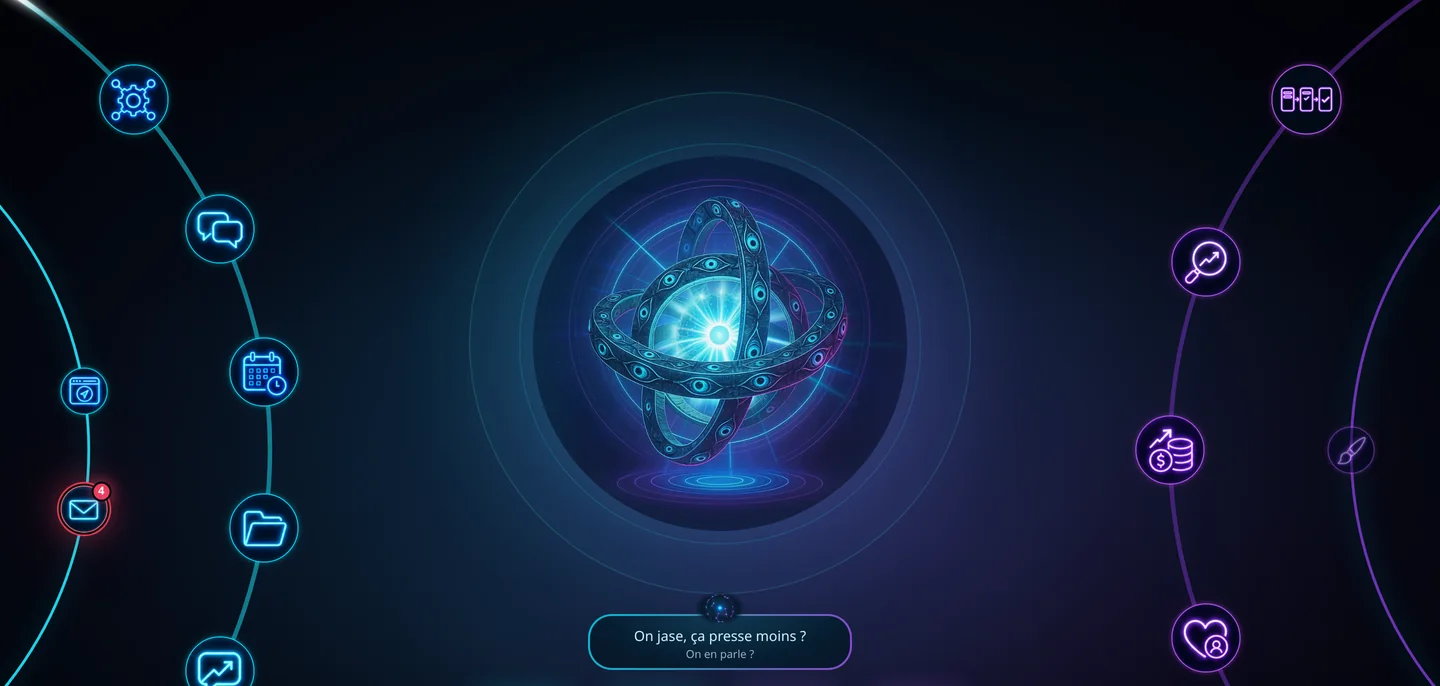
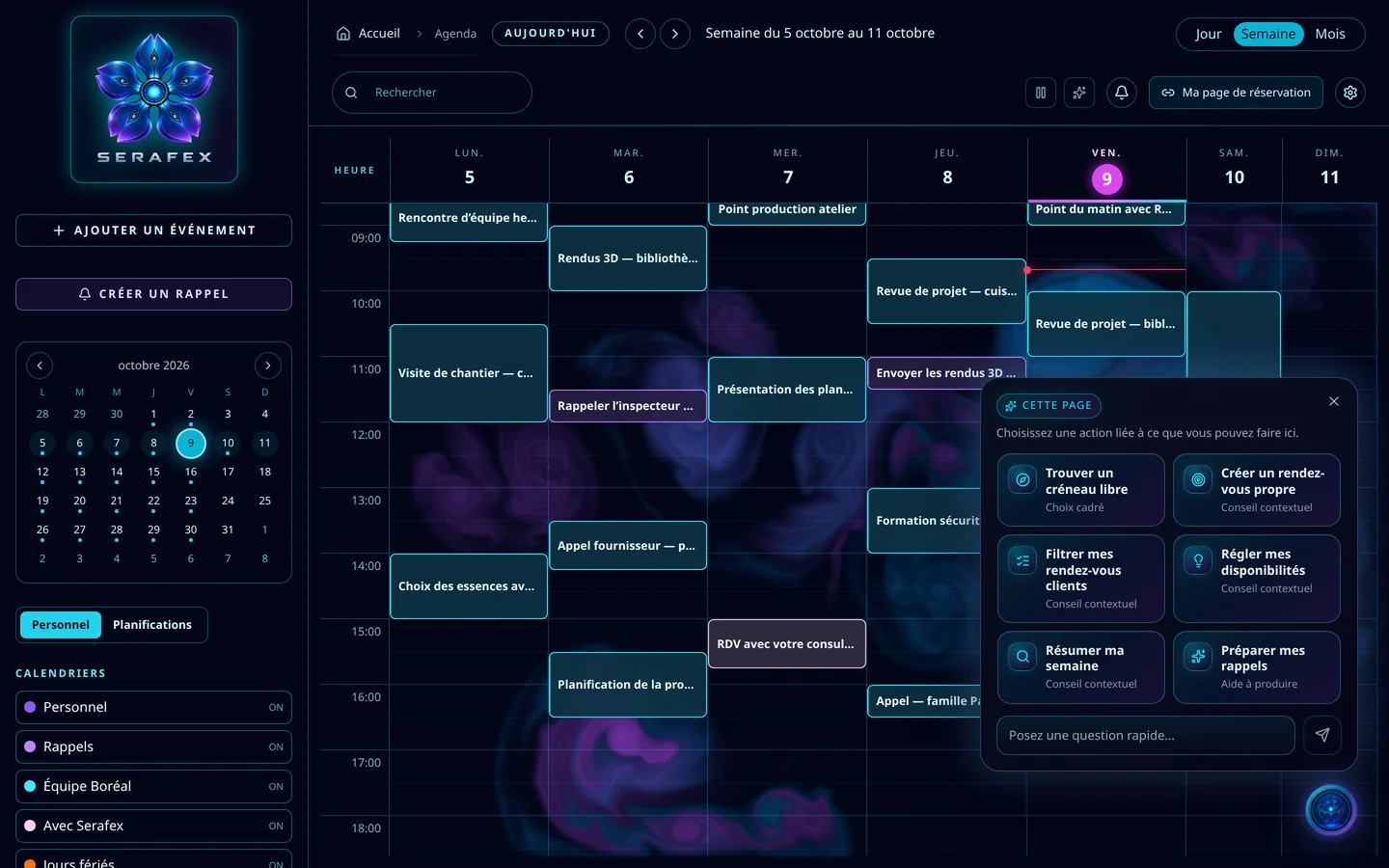
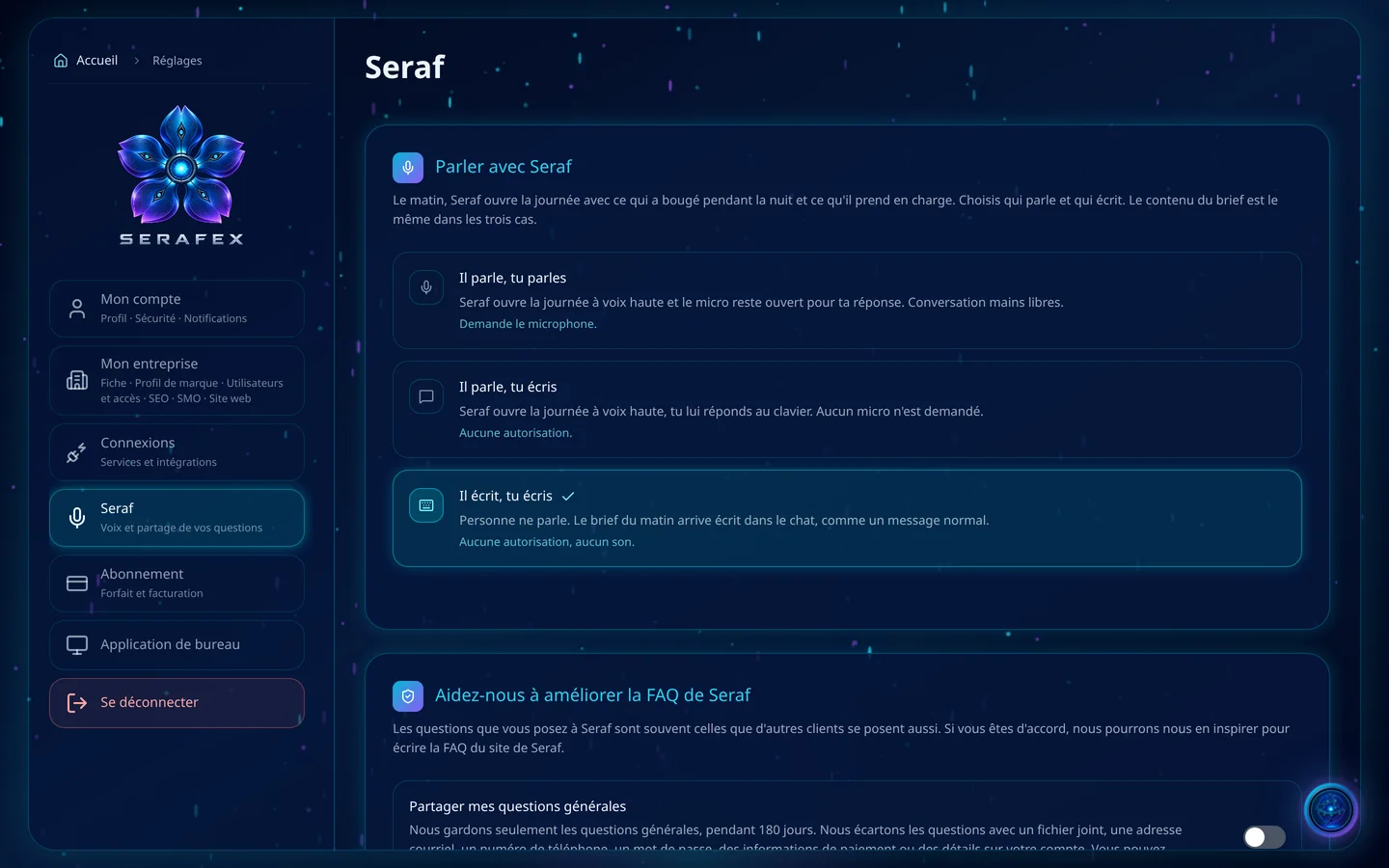
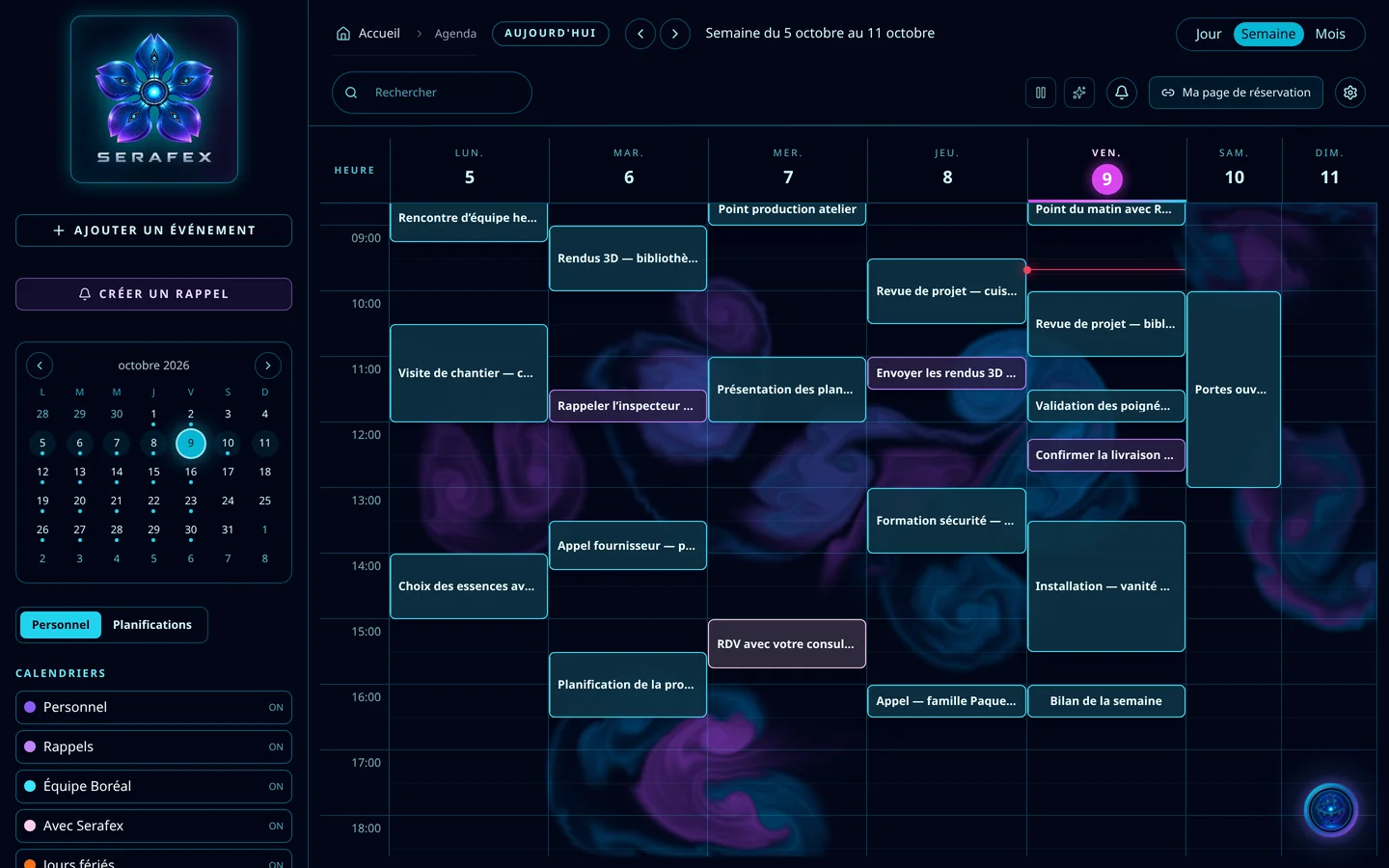
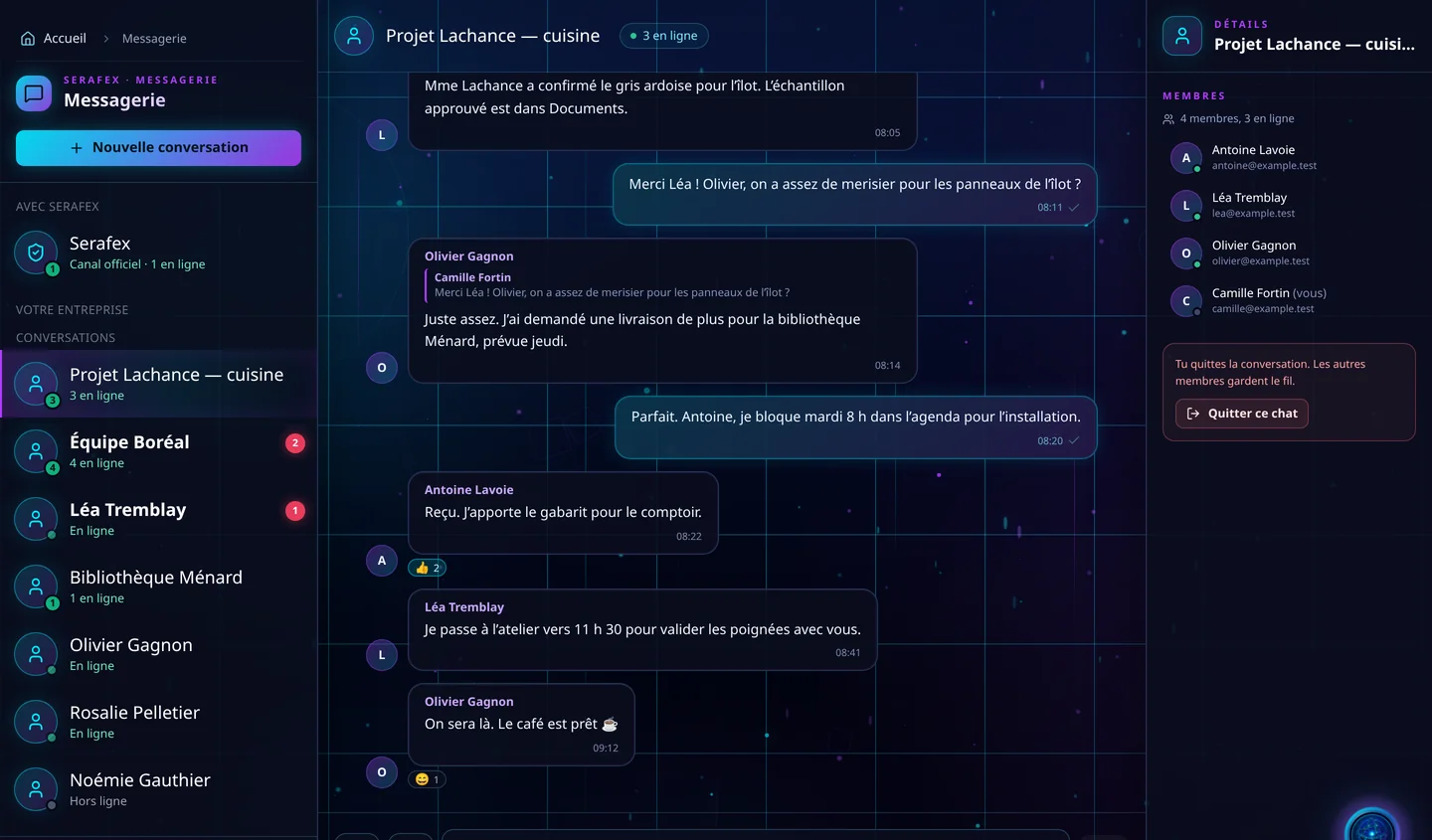
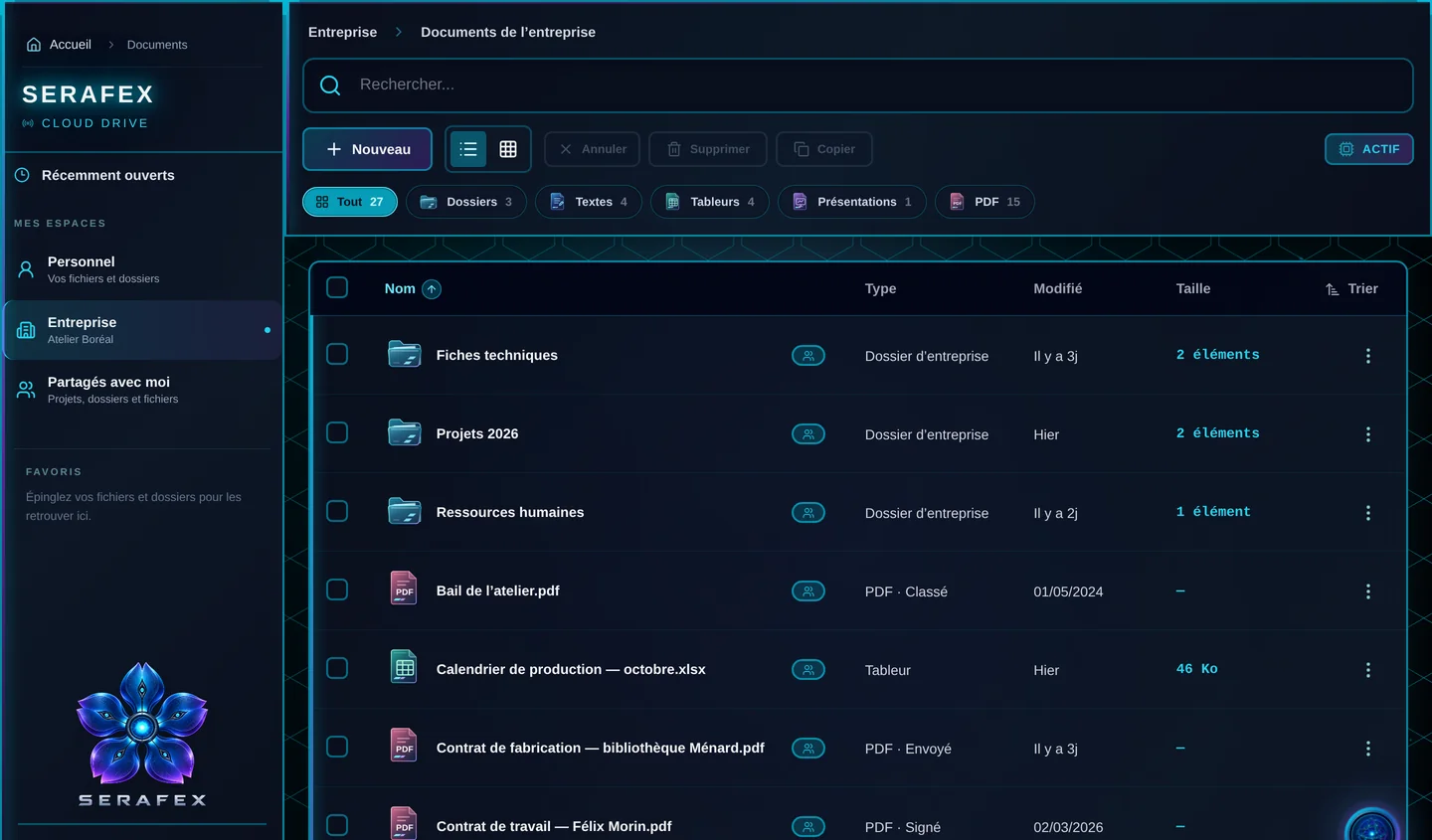
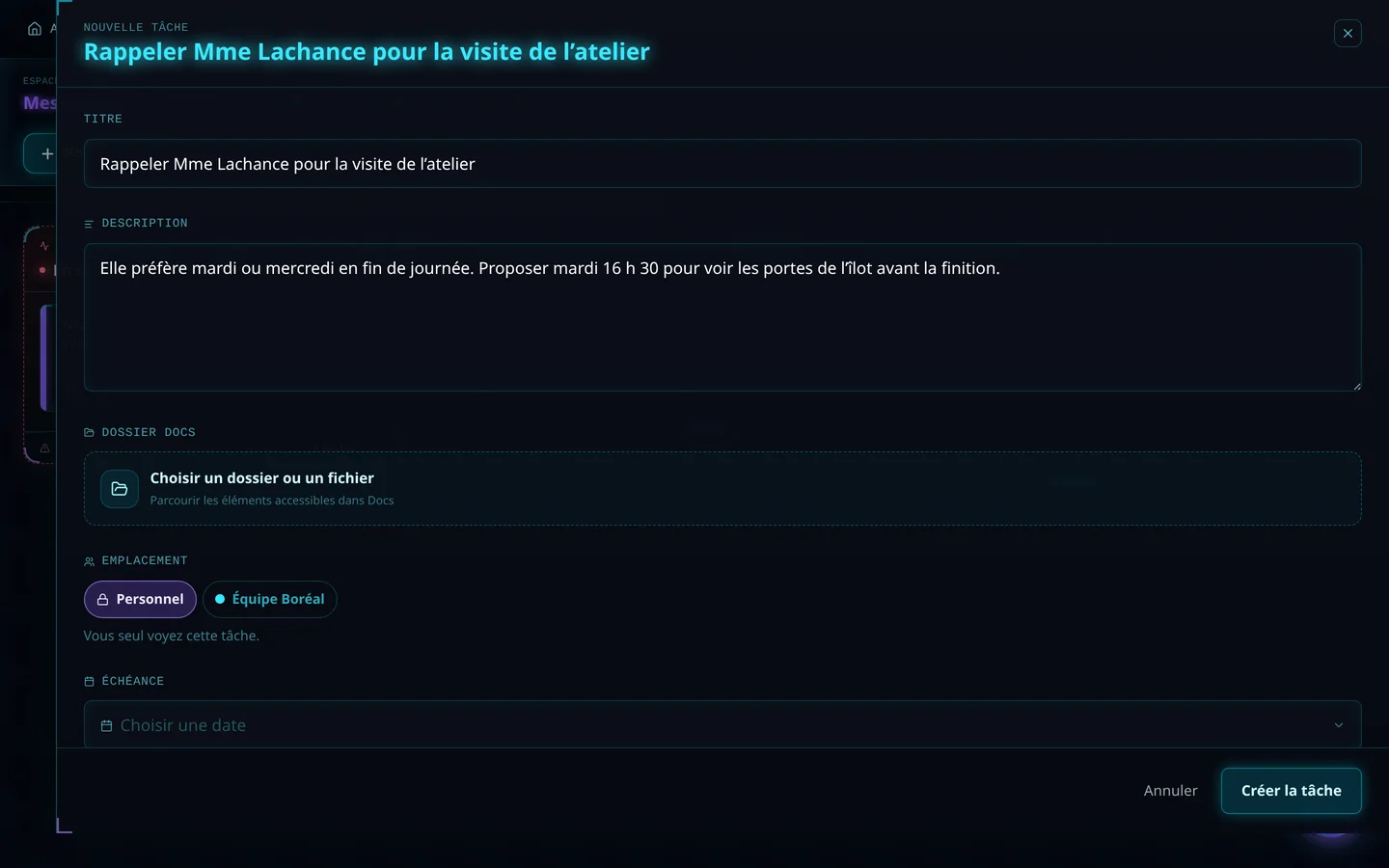
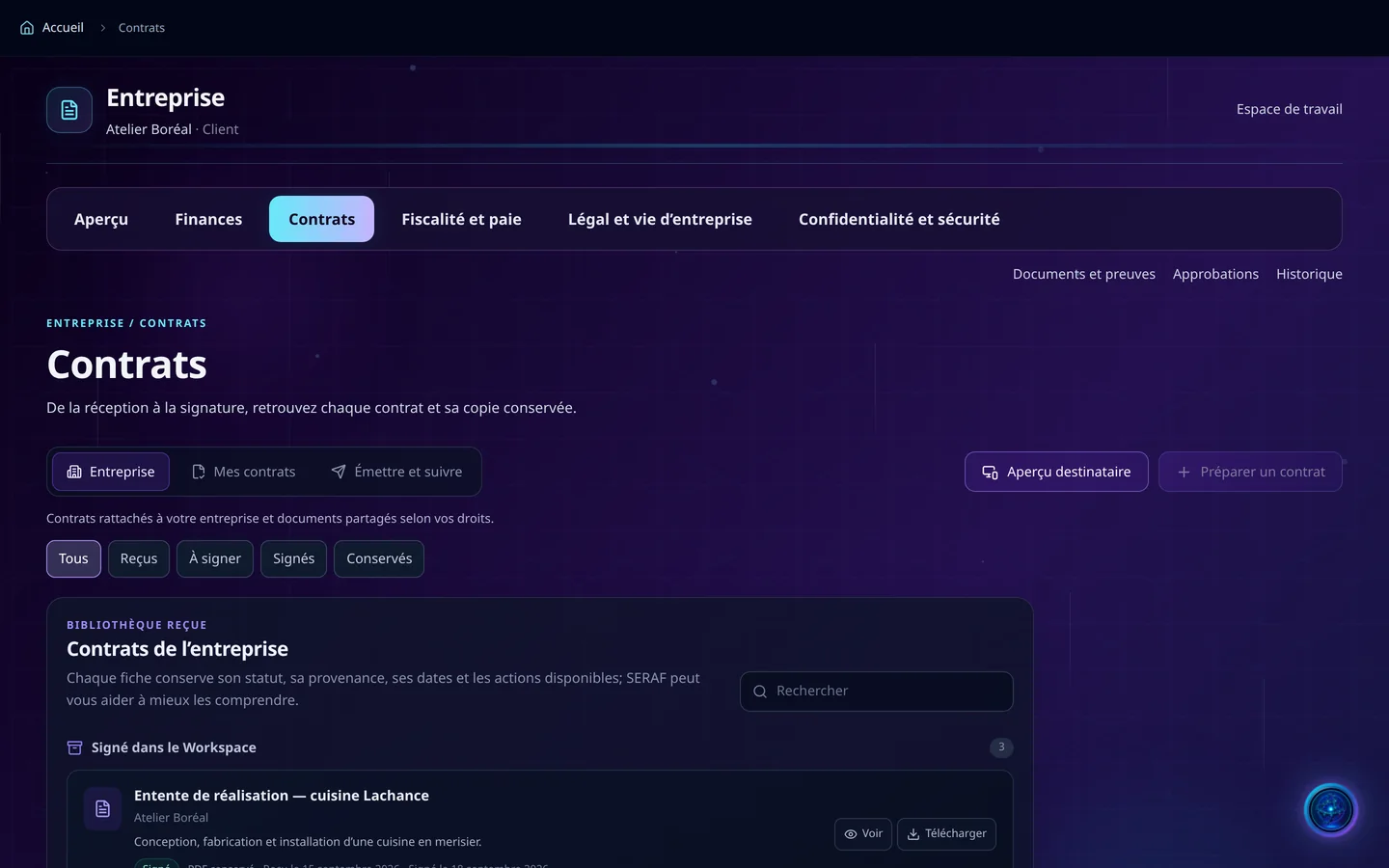
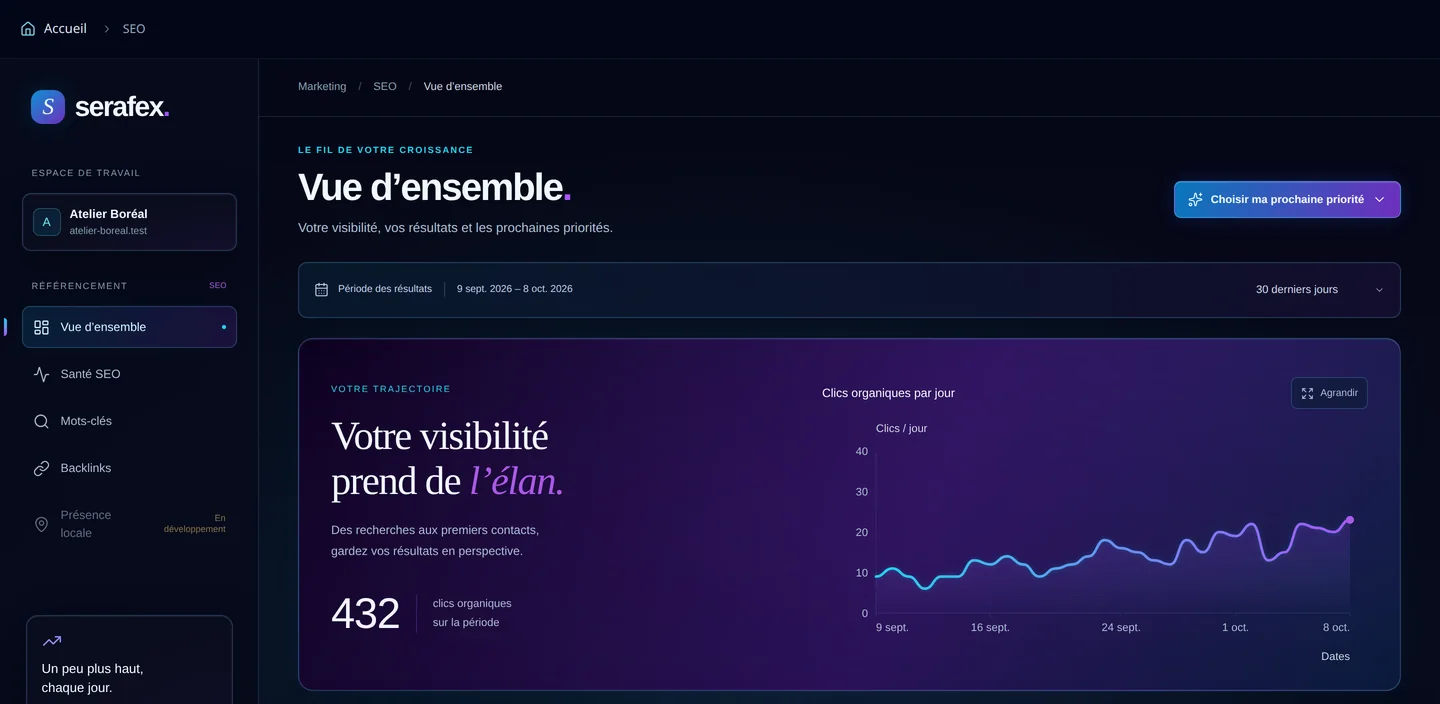
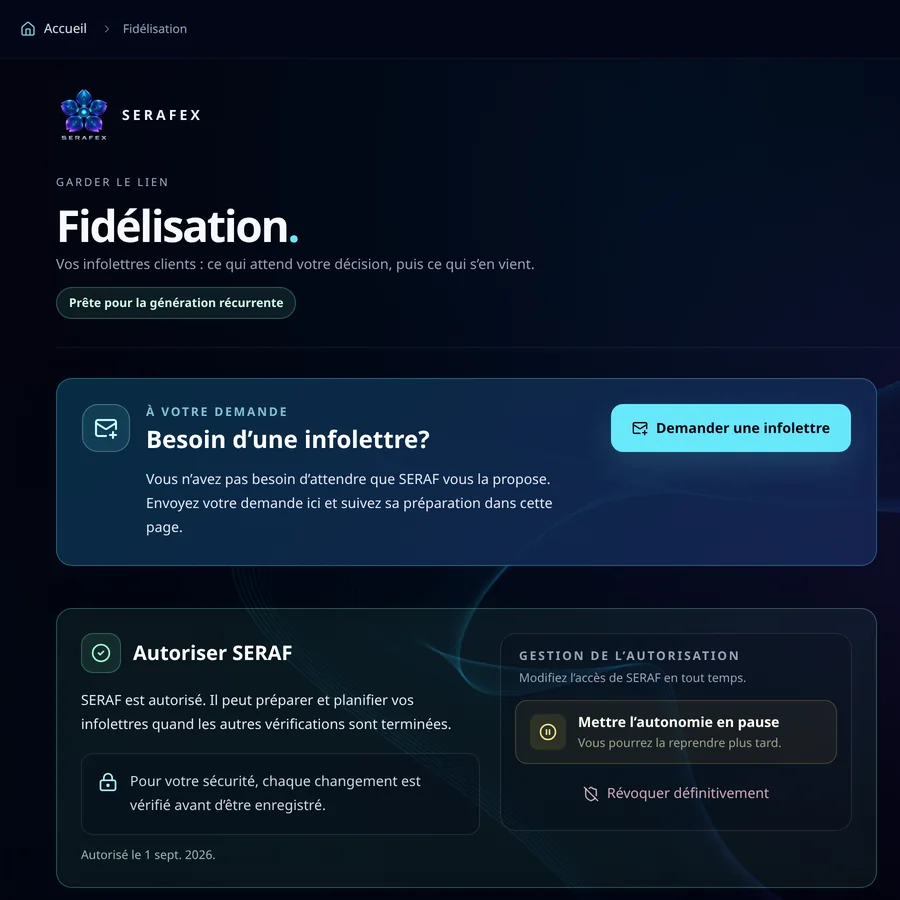
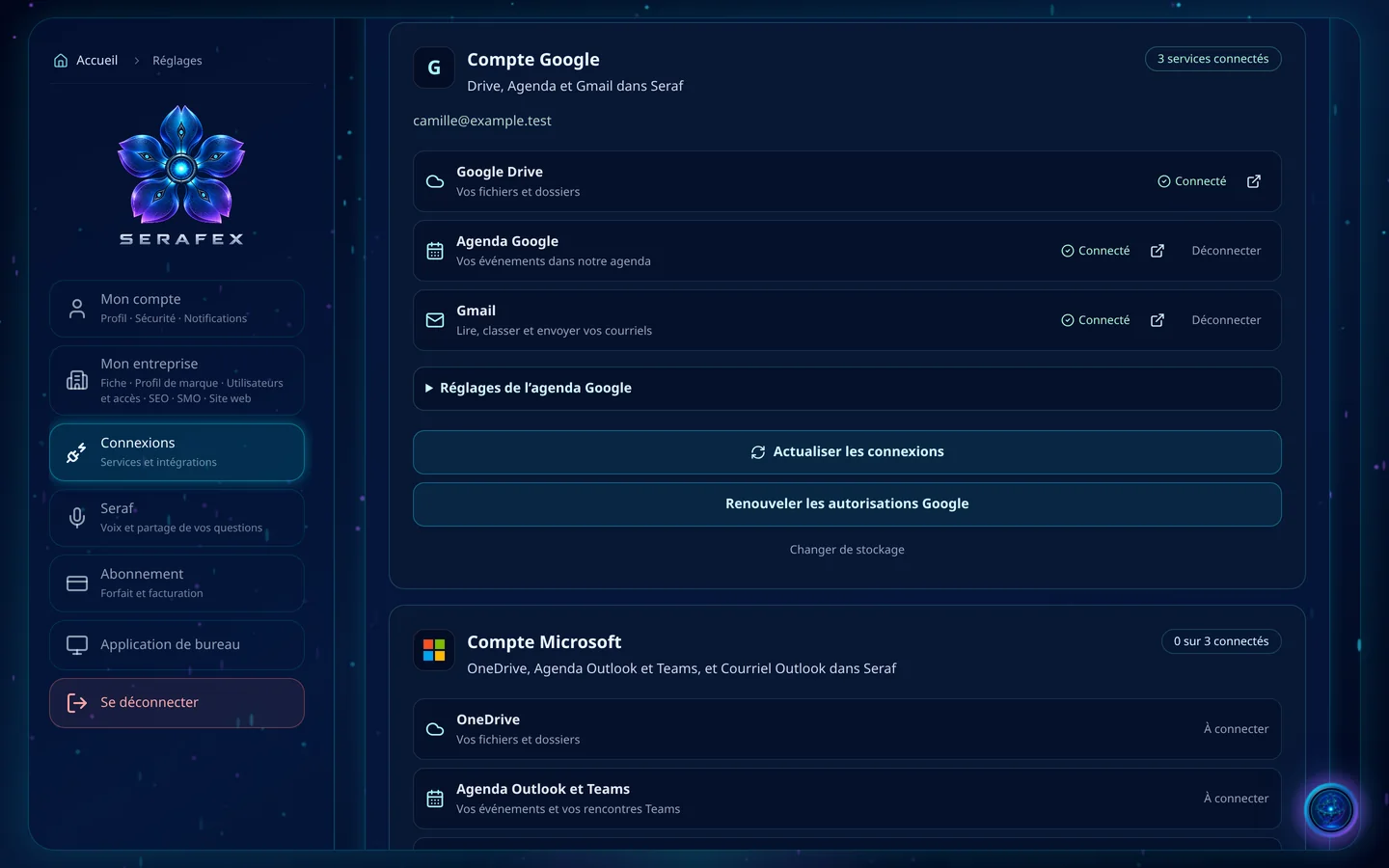
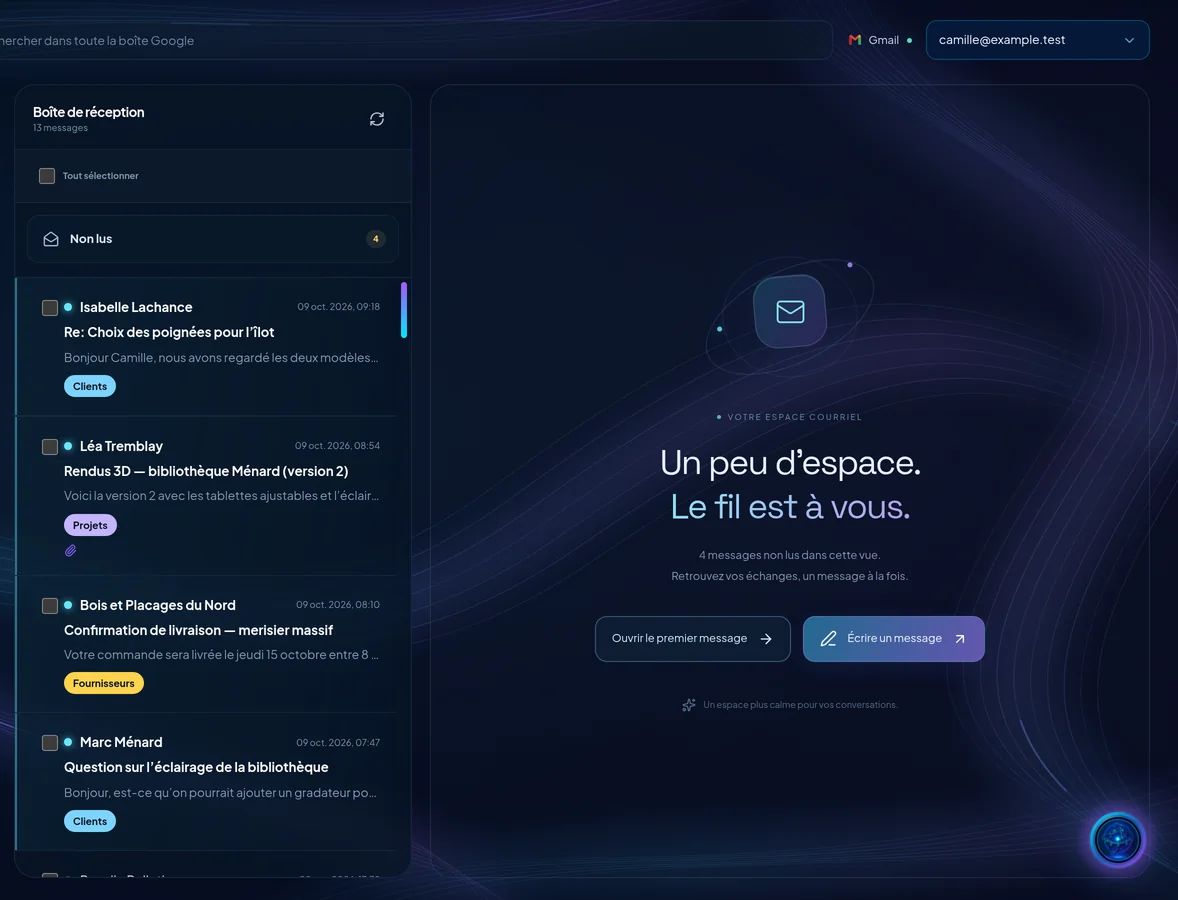
Seraf · Your Workspace. I’m at the centre, and each icon around me opens a space.
The Workspace, your way in
Seraf’s orb at the centre, your spaces in orbit, and your question within reach.
Read the tour as text
- The Workspace, your way in
- Your Workspace. I’m at the centre, and each icon around me opens a space.
- On the left, day-to-day work: Settings, Messaging, Calendar, Documents and Email.
- On the right, the business: Pipeline, SEO, Finances and Loyalty. A faded icon is in development.
- A question? Type it here. In the morning, your morning brief waits for you in the same spot.
- Seraf, on every page
- On every page, I suggest the useful actions. I prepare; you confirm.
- A question? Ask me right here, without leaving the page. For a longer conversation, the AI dashboard opens full screen.
- In the morning, I open the day with your brief: out loud or in writing, you choose here.
- Your week, your colleagues
- Day, Week or Month: pick your view.
- Today. Your meetings and reminders fall into place at their time.
- Your calendars: Personal, Reminders, Team, and your meetings with Serafex.
- Messaging: your colleagues write to each other. Here, people answer, not me.
- Your files, your tasks
- Your spaces. Company: your business’s shelves, organized by Serafex. Personal: your connected drives.
- New: a Word, Excel or PowerPoint document is created right in the editor.
- The location: a personal task, or one for your team.
- The due date: pick the day, and the task files itself in the right list. Here, I don’t create anything.
- The business, in one place
- The Business page: finances, contracts, tax and payroll, legal, privacy and approvals.
- Each contract keeps its status and its stored copy.
- Your visibility in Google: clicks, keywords and your next priorities, all in one place.
- Your newsletters: I prepare them, you approve them before anything is sent. You can pause my autonomy at any time.
- Google or Microsoft 365, connected once
- Google Account: Drive, Calendar and Gmail. A single authorization connects all three.
- Or Microsoft 365: OneDrive, Outlook calendar and Teams, and Outlook mail. One email provider at a time.
- Once connected, your Gmail or Outlook inbox opens here, newest emails first.
- The full-page conversation with Seraf. A simple question stays in the conversation; asking Seraf to show you something opens the right page.
- A task board, personal and by team, and a Projects view to follow progress.
- Overview, site health, keywords, backlinks and your site’s Google data. Local presence is in development.
- The Business page: overview, invoices, accounting, contracts, tax and payroll, legal, privacy, approvals and history.
- Your customer newsletters: what’s waiting for your decision, then what’s coming up. Seraf prepares them, you approve them before anything is sent.
- Pages, blog posts, FAQs and mock-ups to approve. Publishing to a connected WordPress site goes through Seraf Connect.
- Every morning, what has changed and what’s waiting for you, to read or to listen to. The Council adds its proposals to it; you decide.
- A full email client for your Gmail or Outlook inbox: read, sort and reply, with drafts you review.
- The Company and Personal spaces, Word, Excel and PowerPoint files created in the editor, your Google Drive or OneDrive, and project notes to hand Seraf a task.
- Meetings, reminders, time off and bookings, plus meeting requests with your consultant. Seraf can take the notes of a Google Meet or Teams meeting.
- Chat between colleagues, one on one or in groups. Here, your colleagues answer, not Seraf.
- Your account, your company, users and their access, Google or Microsoft integrations, Seraf’s voice and your plan.
- Will help you create cards and visuals in your brand’s colours. The email signature tool is already available.
- Will track your stock and show what to order.
- Will describe, in order, the steps to make your products.
- Will help you write down and share how your company does things.
- Will put Seraf to work on your business number.
- Will let you search the web with Seraf, sources included, in a desktop app.
- Will bring your links, forms and QR code together on one page in your colours.
- Will keep your social media in the Workspace, with Seraf to help you keep the pace.
02 · The whole Workspace
Every space, around Seraf
Just like the app’s home screen, Seraf’s orb sits at the centre and your spaces orbit around it. Twelve are available today. Eight are in development and labelled as such. What each person sees depends on their role, their access and the connections on your account.
- Available · 12
- In development · 8
Serafex Workspace12 available · 8 in development
Hover over an icon or pick one: its description appears here.
See the space’s page →A space in development stays visible on the home screen, half transparent, and doesn’t open. We don’t announce dates: it will open when it’s ready.
03 · Confirmations
A draft, not a send
Seraf can carry out hundreds of actions in the Workspace, from reading a file to drafting an invoice. The ones that commit your company always ask for your explicit confirmation: a deletion, a change of access, a decision, a send or an action in an outside tool.
The Council follows the same rule: Seraf’s executive team prepares and recommends, each advisor has reserved actions, and Seraf brings you one recommendation, one reason and one next step. You decide.
- 1
Draft
Seraf prepares the message at your request. A draft is not a send.
- 2
Reviewed
You see the exact message and its recipient, and you correct it if needed.
- 3
Confirmed
Seraf asks whether it may take the action. You confirm it, or you leave it for later.
- 4
Sent
The message leaves from your connected Gmail or Outlook inbox, only after your yes.
- 1
Prepared
The Council prepares items for your morning brief, each seat according to its role.
- 2
Presented
Seraf stays the single voice: one recommendation, one reason, one next step.
- 3
Your decision
Accept, modify, postpone or decline. No advisor decides for you.
- 4
Launched with Seraf
An accepted proposal is launched with Seraf, and its sensitive actions still ask for your confirmation.
- 1
Handed over
From a project note, you hand the task to Seraf, with its goal and success conditions.
- 2
Planned
Seraf plans the work before starting it.
- 3
In progress
It moves forward. You can pause or resume the mission.
- 4
Checked
Seraf checks the result; you review it before you consider the work done.
- 1
Prepared
A page, a blog post, an FAQ or a mock-up.
- 2
To approve
It waits for your approval in the Content space.
- 3
Approved
You approve it. Approval stays a separate step from publishing.
- 4
Published
Publishing to your connected WordPress site goes through Seraf Connect.
04 · Team and access
Your team, your access
 Files not sharedOther inboxesAnother company
 The Serafex team
One email provider at a time
- A role for each person
In Settings, each person gets a role (Owner, Administrator, Manager or Employee), the services they see and the approvals entrusted to them. For now, only the company’s main account can invite new members.
- Google or Microsoft 365, connected once
The account owner, with an active plan, connects Google Workspace or Microsoft 365 once: one authorization links your email, calendar and storage. Google Calendar is checked on demand, with no continuous sync.
- A person when you need one
When a conversation is needed, you request a meeting with your Serafex consultant from the Calendar.
Said plainly
Email is the exception: a Gmail inbox and an Outlook inbox can be connected together, and your newsletters go out from your connected inbox. The Workspace includes no Teams chat or channels, and no Slack.
05 · Questions
Before you start
How do I hand a task to Seraf?
From a project note, you hand Seraf a task: you write the goal and the conditions for success. The request is reviewed first, and the work starts once it is accepted. The note shows its status: under review, accepted or declined.
Can I connect Gmail and Outlook at the same time?
Yes, for email: one is your main inbox, and the other is added in Email with the Add button. Storage and calendar follow your company’s choice: Google Workspace or Microsoft 365.
Do my files stay in Google Drive or OneDrive?
Yes. Documents works in your company’s storage, Google Drive or OneDrive, included in your plan, with your Personal and Company spaces. If you disconnect that storage from Seraf, your files stay with Google or Microsoft.
What happens if the company switches from Google to Microsoft?
The account owner can change that choice in Settings › Connections. Storage and calendar then follow the new provider, and nothing is transferred: your files, events and inboxes stay with the old one.
Can I choose the AI model for a conversation?
Yes, once the owner has connected ChatGPT or Claude. The owner picks the default connection, with its model and effort level, and each conversation in the AI dashboard can pick another. Without a connection, Seraf uses its included model.
Can my clients pay my invoices online?
Yes. An invoice sent from Finances goes out with a payment link. Your clients pay by Interac e-Transfer, or by card if you connect Stripe: you turn either on in Settings › Wallet and subscription › Wallet.
Do newsletters go out from my own address?
Yes. Loyalty newsletters go out from your connected inbox, Gmail or Outlook. When a client replies, Seraf suggests an answer: you approve it, then send it from your inbox.
Does the app work on a phone?
Yes, in the browser: the app adapts to your computer, tablet or phone screen. A desktop app, with your local files and offline access, is in development.
Can Seraf file my receipts and expenses?
Yes. Pick the receipt in Documents: Seraf files it in your expenses, in Finances, as is and still to be sorted. It then prepares the date, the supplier, the category and the amounts, and checks that the subtotal and the taxes add up to the total. Once you approve these amounts, the receipt is filed in that year’s binder as a validated expense, and that entry can no longer be changed. The yearly summary then shows your revenue, your expenses and the amounts due and received.
Tell us what needs to move forward
The Workspace makes more sense with your own files in mind. The Plans page explains what each option includes, from the Executive base plan to the SEO, SMO, website and hosting plans. Talk to an advisor to choose the services your team needs.
Updated on October 18, 2026.