serafex

Platform · Space 03 of 20

Calendar : your meetings, reminders and booking page

Available

The Calendar brings together your meetings, reminders, time off and company deadlines, in Day, Week or Month view. Your clients book through your own link, and you request a meeting with your Serafex consultant without leaving the page.

  • Day · Week · Month
  • Calendars
  • My booking page
  • Reminders
  • Deadlines
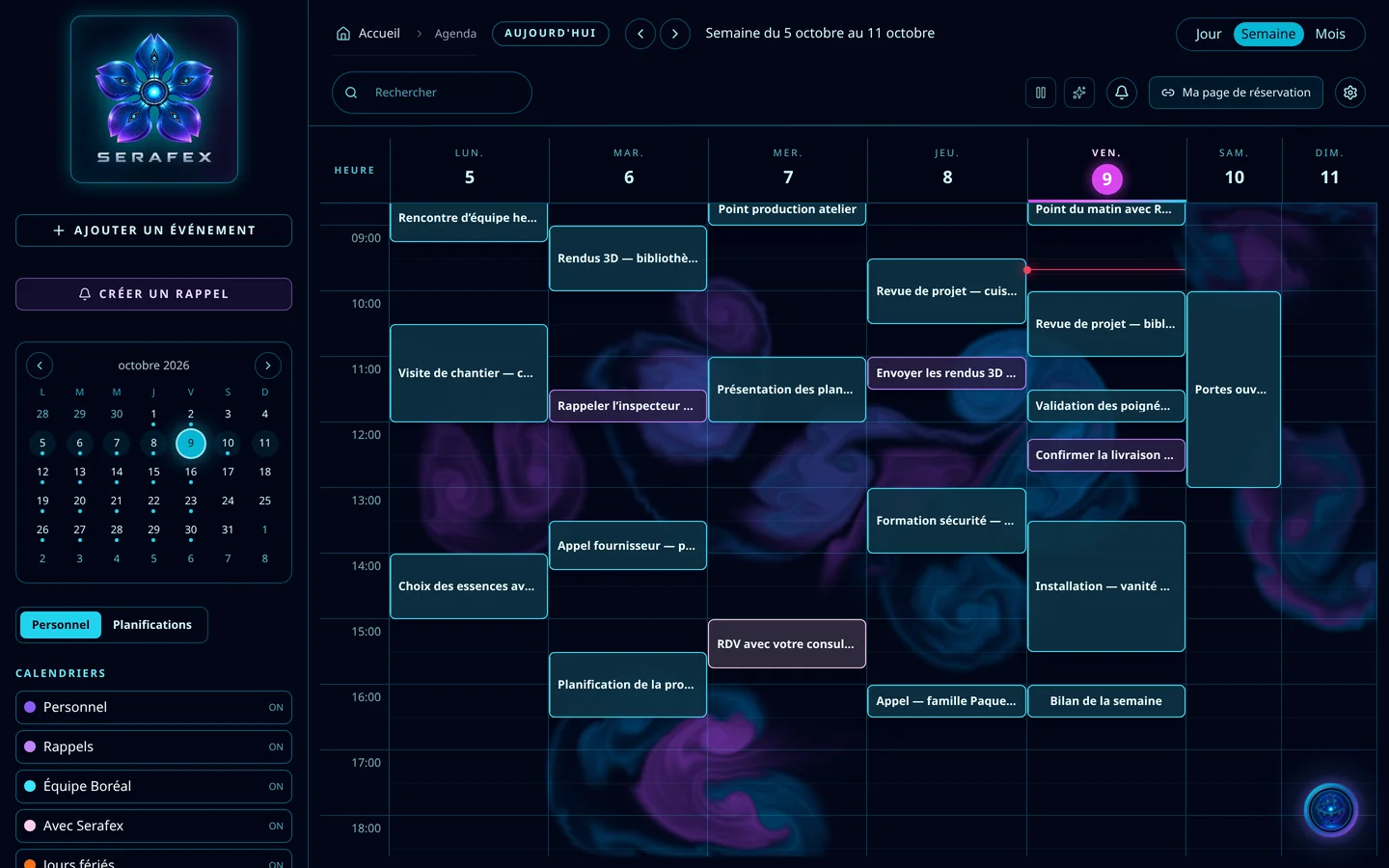
Demo screenshot, labels in French: The Calendar in week view, October 5 to 11: team meetings, project reviews, site visits and reminders.
Demo · sample data · labels in French

01 · In the app

What’s worth seeing in Calendar

Demo screenshot, labels in French: The Calendar’s column: Personal or Planning, then the Personal, Reminders, Boréal team, With Serafex and Holidays calendars, each turned on.

Your calendars, layered

Personal, Reminders, your team, your meetings with Serafex, holidays: each calendar turns on or off with a click. A personal event stays private; others only see that the slot is taken. Your colour labels are chosen when you create an event.

  • Personal, Reminders, Team, With Serafex
  • Private event: only the busy slot shows
  • Colour labels of your choice
Demo screenshot, labels in French: The top of the Calendar: the Day, Week and Month views and the “My booking page” button.

Your booking page

“Your profile. Your appointments. One link.” You create your appointment types, with their name, description and duration, then open your availability day by day. Your rules set the minimum notice before a booking, and time off blocks any booking.

  • Appointment types and durations
  • Availability day by day
  • Minimum notice and time off
  • Preview the page before publishing
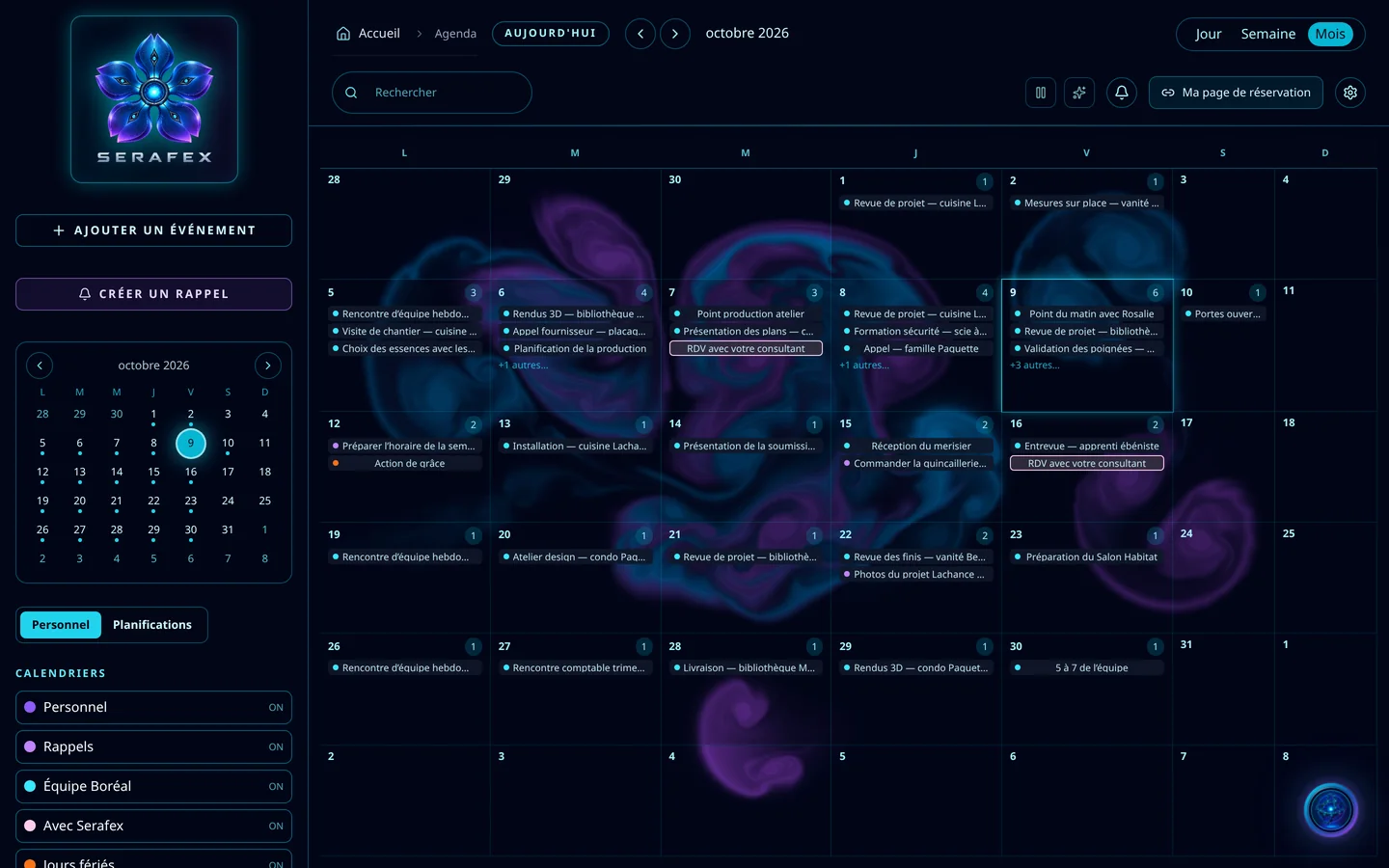
Demo screenshot, labels in French: The Calendar in Month view: October 2026, with project reviews, deliveries and two meetings with the consultant.

The month at a glance, each meeting in detail

Month view shows all of October. A meeting is created as a video call, by phone or in person, with its link generated on creation or its address on Google Maps; it can repeat, and a guest without an account gets their own reminder.

  • Video, phone or in person
  • This occurrence or the whole series
  • One external guest per appointment
  • Reminder for guests without an account

Company deadlines, on their date

Invoices to collect, invoices to pay, legal documents: company deadlines take their place in the Calendar. An invoice issued in Seraf appears on its own; an invoice made elsewhere is added by hand. When a client reports their transfer, you confirm it on receipt or send them a reminder, which only goes out when you click Send.

  • Invoices to collect and to pay
  • Legal documents
  • Reminder to the client, sent by you
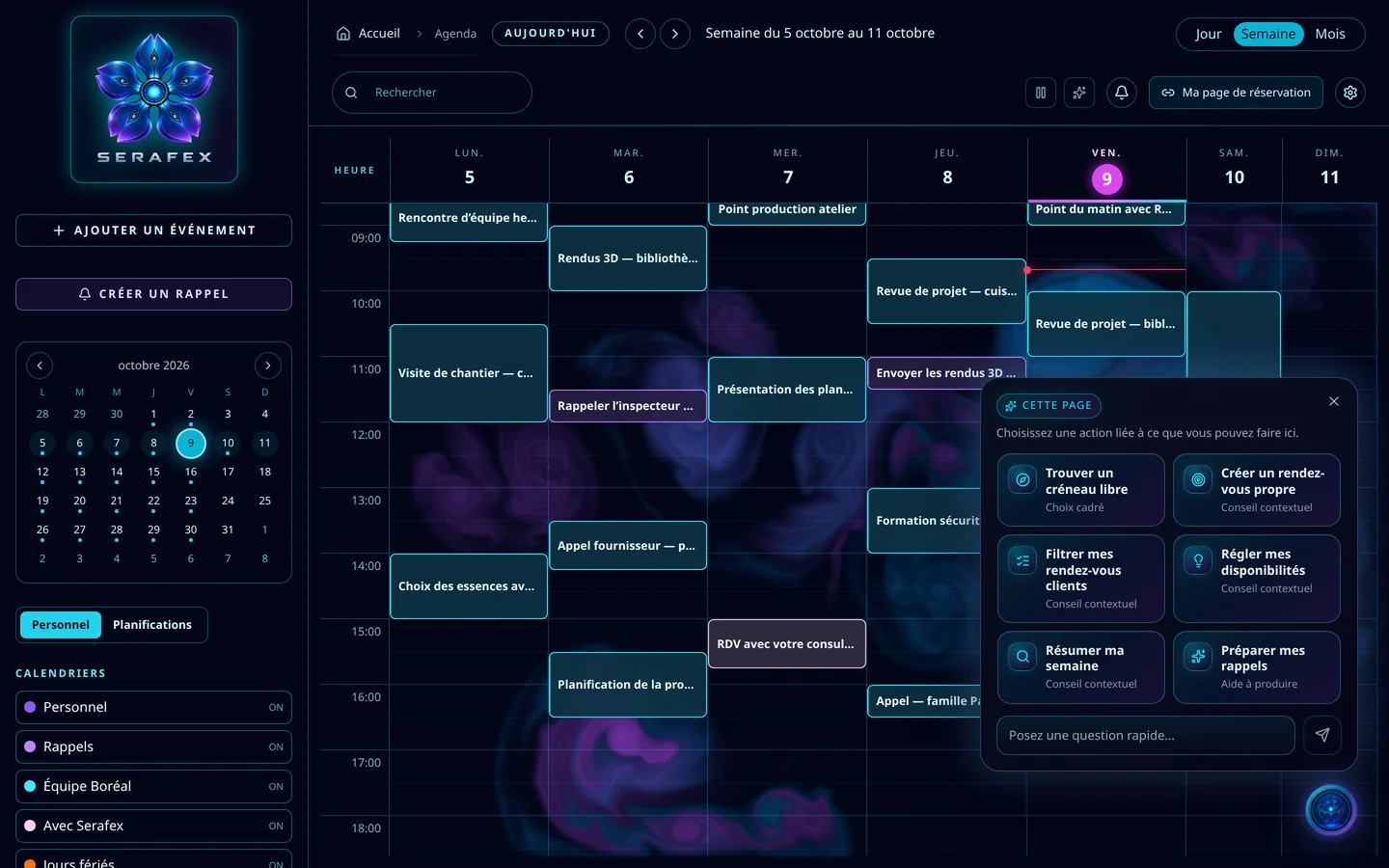
Demo screenshot, labels in French: Seraf’s “This page” panel on the Calendar: find a free slot, create a clean appointment, filter my client meetings, set my availability, summarize my week, prepare my reminders.

Seraf, on the Calendar

The “This page” panel suggests the useful moves here: find a free slot, create a clean appointment, filter your client meetings, set your availability, summarize your week, prepare your reminders.

02 · Section by section

Everything inside Calendar

Views

  • Day, Week, Month
  • Calendar search
  • Back to today
  • Calendars shown

Meetings

  • Video, phone or in person
  • Team guests and an external guest
  • Recurrence
  • Reminders per event
  • Video call now

Booking

  • My booking page
  • Appointment types
  • Availability and time off
  • Booking rules
  • Requests to confirm

Settings

  • Default reminders
  • Colour labels
  • First day of the week
  • Length of a new event
  • Time zone

With Serafex

  • Meeting with your consultant
  • Company deadlines

03 · Seraf in this space

Seraf prepares, you confirm

Seraf can take notes in a Google Meet or Teams meeting, prepare the conversation, summarize your notes and draft the follow-up. It can also walk you through the page, area by area, without ever pressing Create, Save or Send: your first click ends the tour.

04 · Your account

Access and connections

The Calendar is part of the base plan. With Google, you choose the calendars shown and the one that receives your new events; they refresh while your Calendar is open, without continuous sync. With Microsoft, the Outlook calendar and Teams meetings. Inviting an outside person by email requires Google Calendar or Microsoft 365 connected.

Included in the Executive planSee the plan →

06 · Next step

One calendar for the whole team

Meetings, time off, deadlines, client bookings: tell us how your team gets organised. An advisor shows you how the Calendar brings it all into one place.

Opens the “Prepare a discovery call” form · no commitment