serafex

Platform · Space 04 of 20

Messaging : your team’s conversations, in one place

Available

Messaging brings your company together: the official Serafex channel, your departments, your teams and your private conversations. You reply by quoting, react, attach a file, and a meeting proposed in the thread becomes a Calendar card.

  • Serafex channel
  • Departments
  • Teams
  • Private conversations
  • Video
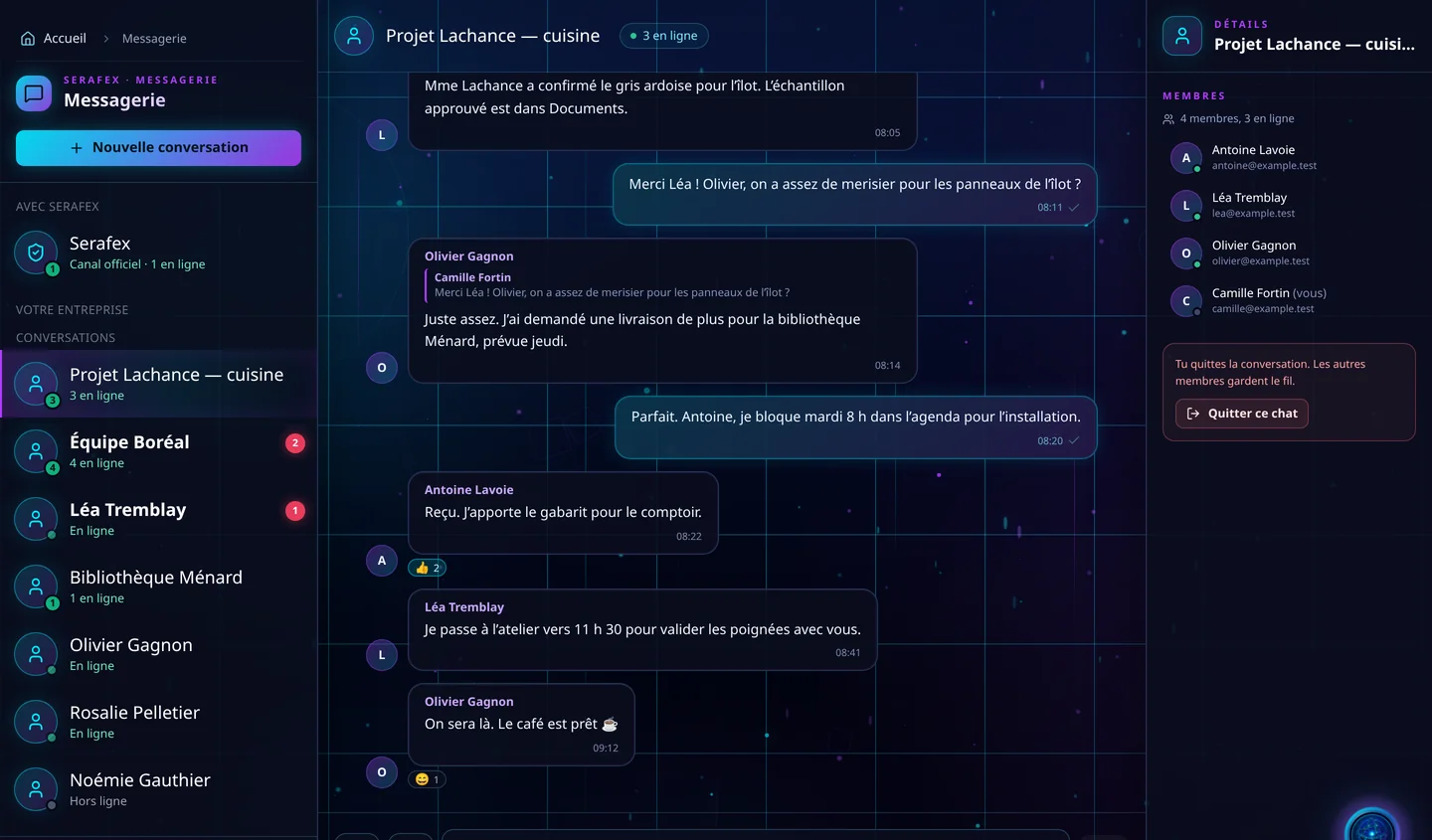
Demo screenshot, labels in French: Messaging: the “Lachance project — kitchen” conversation, 3 people online, a quoted reply and reactions, with its members on the right.
Demo · sample data · labels in French

01 · In the app

What’s worth seeing in Messaging

Demo screenshot, labels in French: A project conversation: Olivier replies quoting Camille’s message, Antoine confirms and gets two reactions, Léa says she will drop by the workshop.

A thread that keeps the context

Quoted replies, reactions, emojis and GIFs, edited or deleted messages: the thread keeps the context. Enter sends, Shift + Enter adds a line, and an interrupted draft picks up where you left it.

  • Reply by quoting
  • Reactions, emojis and GIFs
  • Draft kept
Demo screenshot, labels in French: The conversation column: the official Serafex channel, then Lachance project, Boréal team with 2 unread messages, Léa Tremblay and Ménard library, each with its presence.

The whole company, well organized

The official Serafex channel first, then your departments, your teams and your private conversations, with everyone’s presence. A member automatically joins the general thread and those of their departments and teams; private conversations stay invitation only.

  • Official Serafex channel
  • Departments and teams
  • Online presence
  • Private: invitation only

Files, Documents and video calls

Drop an image, a video, a PDF or a text file, up to 15 MB per file, or pick a file from Documents. A proposed meeting goes out as a card to confirm, which each person accepts or declines, and a Google Meet or Teams meeting is added to each guest’s calendar; its card stays in the conversation.

  • Up to 15 MB per file
  • Attach from Documents
  • Google Meet or Teams meeting
  • Proposed meeting to confirm

Your conversation, your style

Each conversation can have its image, icon, colour and a name only you see. Notifications are set conversation by conversation: all messages, mentions only or keywords to watch. Your status switches to Busy according to your hours, four hours at most.

  • Image, icon and colour
  • Mentions or keywords
  • Automatic Busy status

02 · Section by section

Everything inside Messaging

Conversations

  • Official Serafex channel
  • Departments and teams
  • Private conversations and groups
  • Favourites

Messages

  • Quoted replies
  • Reactions, emojis and GIFs
  • Mentions
  • Edit or delete
  • Files up to 15 MB

Together

  • Google Meet or Teams meeting
  • Proposed meeting to confirm
  • Attach from Documents
  • Message search

Preferences

  • Status and availability
  • Notifications per conversation
  • Trigger keywords
  • Background mood

03 · Seraf in this space

Seraf prepares, you confirm

Seraf’s panel stays within reach for a quick question, here as everywhere. Company roles decide who sees what: Settings › Roles and access sets departments, teams and access to automatic threads, and no role gives access to other people’s private conversations.

04 · Your account

Access and connections

Messaging is part of the base plan. Video calls go through Google Meet or Microsoft Teams, depending on the account connected in Settings. The Serafex team, for its part, is booked from the Calendar, with “Request a meeting”.

Included in the Executive planSee the plan →

06 · Next step

Fewer lost threads across the team

Tell us where your conversations happen today: texts, emails, calls. An advisor shows you how Messaging sorts them by department, by team or in private.

Opens the “Prepare a discovery call” form · no commitment